The Invisible Chaos of the Creator Economy
Most digital creators are currently drowning in a sea of disorganized spreadsheets, lost video ideas, and missed sponsorship deadlines while a handful of ‘System Architects’ are quietly making $5,000 a month building their lifeboats. Here is the reality: content creation is no longer just about filming; it is about managing a complex supply chain of assets, scripts, and data. If you can build the digital infrastructure that tames this chaos, you aren’t just selling a template—you are selling sanity.
📹 Watch the video above to learn more!
While the average person is trying to sell $5 ebooks that nobody reads, high-level creators are desperate for custom-built ‘Operating Systems’ that integrate their entire workflow into one place. Have you ever wondered why some YouTubers seem to produce three times the content with half the stress? It’s not because they have more hours in the day; it’s because they have a centralized command center. This is where you come in as the architect of their digital workspace.
What is a High-Ticket Notion Production OS?
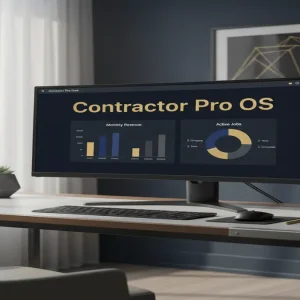
A Notion Production OS (Operating System) is a comprehensive, interconnected workspace designed specifically for the needs of modern video creators. Unlike a basic to-do list, this system uses advanced database relations to connect scripts to sponsorship deals, and research notes to final video files. It is the ‘brain’ of a YouTube channel. When you sell this, you aren’t selling a document; you are selling a pre-built business process that saves a creator 10 to 15 hours of administrative work every single week.
The beauty of this model is the ‘build once, sell many’ framework. You spend forty hours building a world-class system that solves every pain point a creator has, and then you license that system over and over again. Because it solves a high-level business problem, you can charge a premium price that dwarfs the typical $10 productivity template. We are talking about professional-grade tools for professional-grade businesses.
The Shift from Productivity to Profitability
Why are creators willing to pay $150 or even $200 for a single Notion link? Because they view it as an investment, not an expense. If your template helps them secure one extra $1,000 sponsorship because they didn’t lose the email in their inbox, the template has paid for itself five times over. You are moving from the ‘hobbyist’ market to the ‘B2B’ (Business to Business) market, where budgets are higher and the demand for efficiency is relentless.
Why This Method Outperforms Traditional Freelancing
Traditional freelancing requires you to trade your time for money every single day. If you don’t work, you don’t get paid. However, with the ‘System Architect’ model, you are creating a digital asset. Once the system is built, your only job is distribution and minor updates. The best part? You don’t need to be a coding genius or a software engineer. If you can navigate a drag-and-drop interface and understand basic logic, you have the technical skills required to start.
Furthermore, the creator economy is currently underserved. There are millions of new creators entering the market every year, and almost all of them struggle with the same thing: organization. By specializing in a specific niche—like YouTube production—you become the go-to expert in a sea of generalists. You aren’t just another ‘Notion guy’; you are the person who understands exactly how a video goes from an idea to a published masterpiece.
How to Build Your First $5,000/Month System
- Master the ‘Relational Database’: Spend three days learning how Notion’s ‘Relations’ and ‘Rollups’ work. This is the secret sauce. You need to be able to link a ‘Sponsor’ database to a ‘Video’ database so that when a creator clicks on a video, they see exactly which brand is paying for it and what the deliverables are.
- Identify the ‘Friction Points’: Reach out to 5-10 small YouTubers and ask them, ‘What is the most annoying part of your production process?’ They will tell you it’s tracking revisions, managing B-roll, or keeping track of affiliate links. These answers are your product roadmap.
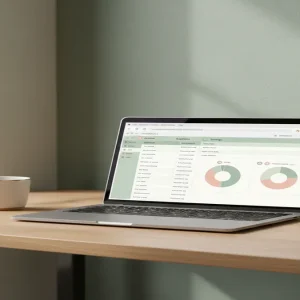
- Build the ‘Production Command Center’: Create a master dashboard that includes a Kanban board for video stages (Idea, Scripting, Filming, Editing, Published), a Sponsorship CRM to track payments, and an Asset Library for recurring graphics and music. Use Notion Formula 2.0 to create progress bars that show how close a video is to completion.
- Create the ‘Loom Onboarding’ Series: High-ticket customers expect a premium experience. Record 5-10 short videos using Loom explaining how to use every part of the system. This reduces your support burden and justifies your $150 price tag.
- Launch on Gumroad and Twitter: Set up a storefront on Gumroad and start sharing ‘behind-the-scenes’ clips of your system on X (Twitter) or LinkedIn. Focus on the transformation: show the ‘Before’ (chaos) and the ‘After’ (the clean, automated Notion OS).
Realistic Earnings and Timelines
Let’s talk numbers because that is why you’re here. If you price your ‘Creator OS’ at $150, you only need 34 sales a month to hit the $5,000 mark. In a world of billions of internet users, finding 34 disorganized creators is remarkably achievable. Most beginners can build their first MVP (Minimum Viable Product) in 14 days. If you spend another 14 days marketing and gathering testimonials, it is entirely realistic to earn your first $1,000 within the first 30 to 45 days.
As you scale, you can introduce a ‘Pro’ version for $299 that includes a private 1-on-1 setup call. Many creators will gladly pay double to have you personally move their data into the new system. This ‘Productized Service’ hybrid can easily push a solo business into the $8,000 to $10,000 per month range without hiring a single employee.
Essential Tools for the System Architect
- Notion: Your primary build environment (The Free plan is enough to start, but the Plus plan is better for sharing).
- Gumroad: To handle payments, file delivery, and affiliate tracking.
- Loom: For creating the essential video tutorials that accompany your template.
- Canva: To design professional-looking ‘cover images’ and thumbnails for your product listing.
Common Pitfalls to Avoid
1. Over-Engineering the Aesthetic
It is easy to spend weeks making a template look ‘pretty’ with custom icons and widgets. Don’t do this. Professional creators care about functionality and speed. If your template takes 10 seconds to load because it’s full of heavy images, they won’t use it. Focus on the workflow logic first, and the aesthetics second.
2. Ignoring the ‘Mobile Experience’
Creators are often on the go. If your Notion system only works on a 27-inch monitor and looks like a mess on an iPhone, you will get refund requests. Ensure your databases are easy to navigate on mobile so creators can jot down ideas while they are out in the world.
3. Failing to Collect Social Proof
In the digital product world, testimonials are your currency. Give your first five copies away for free to established creators in exchange for a video testimonial. A single ‘This changed my life’ tweet from a creator with 50,000 subscribers can generate $2,000 in sales overnight.
Your Next Move
The gap between ‘struggling freelancer’ and ‘successful system architect’ is simply the ability to solve a specific, painful problem for a specific, high-value group of people. You have the tools, and you now have the blueprint. The creator economy isn’t slowing down, and the demand for organization is only going to grow. Stop building generic lists and start building the engines that power the next generation of digital businesses. Your first step? Open a blank Notion page right now and map out the five stages of a YouTube video—your future business starts with that single database.