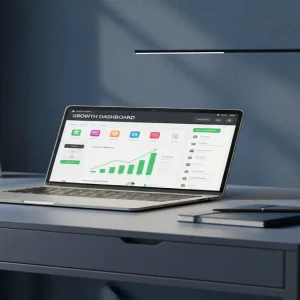
While everyone chases complex AI software or viral fame, a quiet group of creators is making thousands a month selling literal spreadsheets. It turns out that “boring” Google Sheets are actually highly profitable digital assets. You don’t need to be a math genius to tap into this hidden goldmine.
📹 Watch the video above to learn more!
The Boring Digital Asset That Pays Rent
Welcome to the micro-business where you sell google sheets templates for premium prices. You solve highly specific problems using a free tool everyone already has.
Think about an Airbnb host losing track of cleaning schedules, or a freelancer needing a visual way to track invoices. They don’t want to pay a $30 monthly subscription for bloated software.
Instead, they visit Etsy or Gumroad and pay $15 to $25 for a beautifully designed spreadsheet that solves their exact problem. You build this digital product once, list it, and it sells infinitely without shipping physical items.
Why People Willingly Pay for Free Software
Why would anyone pay for a spreadsheet when Google Sheets is free? The secret: people aren’t paying for software. They’re paying for convenience, logic, and saved time.
Staring at a blank grid is incredibly intimidating for most people. They hate writing formulas, formatting cells, and trying to make data look presentable. When you package a spreadsheet into a visually appealing, ready-to-use dashboard, you’re selling them a shortcut.
Because a well-designed spreadsheet functions like a mini-app—complete with dropdown menus, automated charts, and color-coded alerts—customers feel like they are getting a premium software solution for a fraction of the cost.
Your Blueprint to Spreadsheet Income
You don’t need an MBA to start this digital product business. Here’s the exact step-by-step framework to launch your first profitable template.
Step 1: Pinpoint a Frustrated Niche
Don’t create a generic budget tracker because the market is entirely saturated. Instead, drill down into specific communities with specific pain points.
For example, create a Plant Care Tracker for houseplant collectors or an ADHD Daily Routine Planner. The more specific your audience, the easier it is to charge a premium. Spend an hour browsing Reddit to find what people struggle to organize.
Step 2: Build the Ugly First Draft
Open a blank Google Sheet and start building the core functionality. Focus entirely on the math and the layout first.
If you’re building an inventory tracker, ensure formulas accurately calculate profit margins. If you don’t know a specific formula, simply ask ChatGPT to generate it. It’s like having a senior data analyst beside you.
Step 3: Apply the Aesthetic Tax
A spreadsheet that looks like a 1990s accounting ledger won’t sell. You must make it visually stunning.
Change the default font to Montserrat or Inter. Remove standard gridlines. Use a cohesive, soothing color palette. Add clean checkboxes and simple dropdown menus. When your spreadsheet looks like a modern app, its value skyrockets.
Step 4: Create Conversion-Heavy Mockups
Your potential customers cannot touch a digital product, so your listing images must do all the heavy lifting.
Take screenshots of your finished dashboard and drop them into realistic laptop mockups using Canva. Add text overlays highlighting the best features, like Automated Profit Calculations. Make sure your main thumbnail is bright and clearly explains the product.
Step 5: Launch on the Right Marketplace
For beginners, Etsy is the undisputed king of digital templates because it already has millions of buyers actively searching for solutions. Gumroad is your secondary option if you drive your own traffic.
Write an SEO-optimized title and description. Price your template between $12 and $25. Include a detailed PDF instruction guide with the link to copy the sheet so delivery is fully automated.
The Numbers: What Can You Actually Make?
Realistic Earnings and Timelines
Let’s talk real numbers. This isn’t a get-rich-quick scheme, but the profit margins are practically 100%. A realistic monthly earning potential for a dedicated beginner ranges from $500 to $2,500 within the first three to six months.
If you sell a $15 template just three times a day, that’s over $1,300 a month in pure passive income. Your initial investment is exactly $0 if you use free tools, though you might spend $20 on Etsy listing fees to test products. Most creators see their first dollar earned within 14 to 21 days of consistently publishing optimized listings.
Essential Tools of the Trade
To run this business efficiently, you only need a handful of accessible tools.
- Google Sheets: The free platform where you’ll build and host your actual products.
- Canva: Essential for creating those high-converting listing photos and PDF instruction manuals.
- Etsy: The primary marketplace with built-in traffic for digital downloads.
- eRank: A powerful SEO tool to find low-competition keywords that buyers are actually searching for.
- ChatGPT: Your personal assistant for generating complex formulas and writing listing descriptions.
The Traps You Need to Avoid
While this business model is incredibly accessible, many beginners make the same fatal errors. Here is what you must avoid to succeed.
- Making it too complex: Buyers want simplicity. If your spreadsheet requires a 40-minute tutorial video to understand, they will demand a refund. Keep the user interface incredibly intuitive.
- Ignoring the aesthetics: People buy with their eyes. If you skip the design phase, your product will drown in a sea of generic competitors.
- Protecting the wrong cells: Always lock the cells containing your complex formulas. If a customer accidentally deletes a core formula, the whole sheet breaks.
- Vague listing titles: Never name your product Spreadsheet Template. Name it exactly what it does, like Small Business Bookkeeping Template.
Your Next Move
You now have the exact blueprint to turn free software into a lucrative digital asset. The beauty of this model is that you build it once, and it pays you forever.
Your only assignment today is to open a blank Google document and brainstorm three specific niches that desperately need organization. Stop trading your time for money, and start building digital assets that sell themselves.