The Invisible Goldmine Inside Your Google Drive
While most digital creators are fighting for pennies in the saturated world of ebook publishing, a quiet group of ‘spreadsheet architects’ is generating $5,000 per month by selling simple Google Sheets. You might think spreadsheets are boring, but to a small business owner struggling with inventory or project tracking, a well-designed sheet is a lifesaver. Here is the reality: people don’t pay for data; they pay for the automated clarity that a custom-built template provides.
📹 Watch the video above to learn more!
Have you ever spent hours trying to organize a project only to give up because the software was too complex? That is exactly why this niche is exploding right now. Small businesses are ditching expensive SaaS subscriptions in favor of ‘one-time-buy’ tools that live directly in their own Google accounts. It is a friction-less, high-margin business model that requires zero inventory and almost no overhead costs.
What is a ‘Smart Spreadsheet’ Micro-Business?
At its core, this business involves creating specialized Google Sheets templates that solve a specific organizational problem. We are not talking about a basic list of names and numbers. We are talking about interactive dashboards with automated formulas, color-coded progress bars, and data visualization tools that look like professional software. You build it once, and you sell the ‘View Only’ link thousands of times.
The beauty of this model is the ‘copy-paste’ nature of the product delivery. When a customer purchases your template on a platform like Etsy or Gumroad, they receive a PDF with a link. They click the link, hit ‘Make a Copy,’ and they instantly have a fully functional tool. You never have to ship a box, manage a subscription, or deal with complex software updates. It is the ultimate digital asset.
The Psychology of the Spreadsheet Buyer
Why wouldn’t someone just make their own? The answer is simple: time and frustration. Most business owners know how to enter data, but they have no idea how to use VLOOKUP, QUERY functions, or conditional formatting to make that data useful. They are paying you to skip the learning curve. They aren’t buying a file; they are buying three hours of their life back every single week.
Solving the ‘Software Fatigue’ Problem
We are currently living through a period of ‘SaaS fatigue.’ Business owners are tired of paying $29/month for project management tools that are too complicated for their small teams. A Google Sheet is familiar, it’s collaborative, and most importantly, it’s free for them to use once they own your template. This makes your $97 one-time fee look like a massive bargain compared to a recurring annual bill of $350.
The 5-Step Blueprint to Your First $1,000 Month
You don’t need to be a math genius to succeed here; you just need to be a problem solver. Follow this specific sequence to launch your spreadsheet shop from scratch.
Step 1: Identify a ‘Boring’ High-Value Pain Point
Don’t make a ‘budget tracker’—the market is flooded with them. Instead, look for niche business problems. Think: ‘AirBnB Cleaning Schedule Automator,’ ‘Construction Project Cost Estimator,’ or ‘Social Media Content Pillar Organizer.’ The more specific the problem, the higher the price tag you can command. Spend time in Reddit forums or Facebook groups for small business owners and look for people asking, ‘How do I track X?’
Step 2: Architect the Logic and Functionality
Start with the end in mind. What is the one chart or number the user needs to see? Build the backend logic using Google Sheets formulas. Focus on making data entry as minimal as possible. Use checkboxes, dropdown menus (Data Validation), and protected ranges so the user can’t accidentally break your formulas. The goal is to make the sheet feel like an app, not a grid.
Step 3: Design the ‘Pro’ User Interface
This is where the money is made. Most spreadsheets are ugly. You are going to make yours beautiful. Use custom hex codes for colors, hide gridlines, and use clean, modern fonts. Create a ‘Dashboard’ tab that acts as the command center, featuring charts and ‘Quick Stats.’ If it looks like a premium software interface, you can easily charge 5x more than the person selling a basic white-and-gray grid.
Step 4: Create the ‘Instructional’ Onboarding
Create a ‘Start Here’ tab within the sheet. Include a short video walk-through using a tool like Loom. Explain exactly where to enter data and what the charts mean. This reduces customer support emails and increases your 5-star reviews. A happy customer who finds your sheet easy to use will likely come back to buy your other templates as their business grows.
Step 5: Launch on Niche Marketplaces
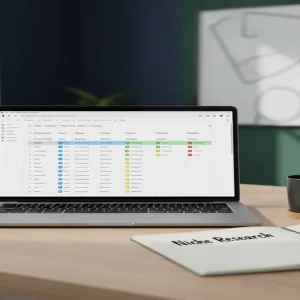
Don’t build your own website yet. List your product on Etsy (best for creative/small biz templates) or Gumroad (best for marketing/technical templates). Use high-quality mockups created in Canva that show the spreadsheet on a laptop screen. Use keywords like ‘Automated Inventory Tracker’ or ‘Small Business Bookkeeping’ to capture organic search traffic from people already looking for a solution.
Realistic Math: What Can You Actually Earn?
Let’s look at the numbers for a mid-tier spreadsheet shop. If you price a specialized template at $47 (a sweet spot for impulsive business purchases) and sell just 3 units per week, you’re making over $600 a month in passive income. However, the top creators in this space often have 10-15 different templates. With a diverse catalog, it is very common to see earnings between $2,500 and $6,000 per month once you have established search rankings on Etsy.
The best part? Your ‘cost of goods sold’ is zero. Your first dollar earned is almost entirely profit. Most beginners see their first sale within 14 to 21 days of listing their first high-quality template, provided they have done proper keyword research.
Essential Toolkit for Spreadsheet Architects
- Google Sheets: Your primary development environment (Free).
- Canva: For creating professional listing images and PDF delivery guides.
- Loom: To record 2-minute ‘How-To’ videos for your customers.
- Etsy or Gumroad: Your storefront and payment processor.
- ChatGPT: To help you write complex formulas or generate dummy data for testing.
Common Pitfalls That Kill Sales
The biggest mistake is over-complicating the sheet. If the user feels overwhelmed when they open the file, they will ask for a refund. Keep the ‘Input’ areas separate from the ‘Calculation’ areas. Secondly, don’t ignore mobile users. While most business work happens on desktops, ensure your dashboard is readable on the Google Sheets mobile app. Finally, avoid using ‘Scripts’ (Apps Script) unless absolutely necessary, as these trigger scary security warnings for the buyer.
Your Next Move
Stop thinking of Google Sheets as a data entry tool and start seeing it as a software development platform for the masses. Your goal for today is simple: Open a blank sheet and try to automate one task you currently do manually. Once you see the power of a single formula, you’ll realize you’re sitting on a digital goldmine. Pick one niche business today and draft a list of 5 metrics they need to track—that is the foundation of your first $97 product.