The Invisible Goldmine Hiding in Your Spreadsheet App
Most people believe that building a digital product requires months of coding, a team of high-priced developers, and a massive marketing budget. Here is the truth: some of the highest-margin digital assets being sold today are nothing more than clever Google Sheets that solve one specific problem for one specific person. I have watched creators transition from zero to $4,500 per month by simply organizing the data chaos that small business owners face every single day. You don’t need to be a software engineer; you just need to be more organized than the average entrepreneur.
📹 Watch the video above to learn more!
Have you ever noticed how many business owners still run their entire operations on messy notes and mental math? That is where your opportunity lies. We are entering the era of ‘Micro-SaaS’—small, specialized software solutions—but instead of building a complex app, you are using the logic and accessibility of Google Sheets to provide the same value. It is a business model that requires zero inventory, zero shipping, and almost zero overhead costs once the initial template is built.
What is a Spreadsheet Micro-Business?
A spreadsheet micro-business involves creating and selling specialized, automated Google Sheets templates designed for a very specific niche. You aren’t just selling a grid with some numbers; you’re selling a ‘Data Dashboard’ or a ‘Management System’ that saves a business owner five hours of manual work every week. Think of it as selling an automated employee that never sleeps. These templates often use advanced formulas, conditional formatting, and sometimes simple Google Apps Script to automate tasks like expense tracking, inventory management, or social media scheduling.
The magic of this model is the ‘create once, sell forever’ nature of digital assets. While a freelancer has to trade their hours for dollars, you spend forty hours building one world-class template and then sell it to thousands of people. Because it is a Google Sheet, your customers already know how to use the interface, which significantly reduces your customer support burden. It is the ultimate bridge between a basic digital download and a complex software-as-a-service product.
Why Data Sanity is the New Gold
Why would someone pay $50 or $100 for a spreadsheet they could technically make themselves? The answer is simple: they won’t make it themselves. Most small business owners are experts in their craft—whether that is roasting coffee, styling hair, or managing Airbnbs—but they are rarely experts in data architecture. They are drowning in information and starving for clarity. When you provide a dashboard that turns their messy numbers into a beautiful, easy-to-read chart, you are selling them peace of mind.
Furthermore, businesses are currently suffering from ‘subscription fatigue.’ They are tired of paying $30 to $50 every single month for specialized software that is often too bloated for their needs. A one-time purchase of a high-quality Google Sheet is an attractive alternative. It gives them full control over their data without the recurring monthly bill. You are providing a high-value tool that feels like a bargain compared to traditional software, allowing you to capture a massive segment of the market that is currently underserved.
The 5-Step Blueprint to Spreadsheet Success
Step 1: Identify the ‘Messy Middle’ Niche
Your first step is to find a niche that is too small for big software companies to care about but large enough to have common problems. Don’t build a ‘General Budget Tracker’—the market is flooded with those. Instead, build an ‘Etsy Seller Profit & Tax Calculator’ or a ‘Construction Project Lead Tracker.’ Look for communities on Reddit or Facebook where people are asking for ‘a better way to track X.’ That ‘X’ is your product.
Step 2: Build the Logic Architecture
Once you have your niche, you need to build the engine. This is where you spend your time ensuring the formulas are bulletproof. Use QUERY and FILTER functions to move data automatically between tabs. Your goal is to make the user experience as ‘data-entry light’ as possible. If the user only has to enter three numbers to get ten different insights, you have a winning product. Ensure your logic accounts for common errors so the sheet doesn’t ‘break’ when a user enters something unexpected.
Step 3: Design for User Experience (UX)
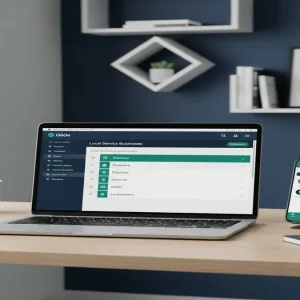
Here’s the secret: people buy spreadsheets based on how they look, not just how they work. You must move away from the default white-and-grey grid. Use professional color palettes, hide unnecessary gridlines, and create a ‘Settings’ or ‘Dashboard’ tab that looks like a modern web application. Use custom fonts and clear buttons. When a customer opens your sheet, it should feel like a premium experience, not a homework assignment.
Step 4: Automate the Delivery
You don’t want to be manually emailing files every time someone buys. Use a platform like Gumroad or Etsy to handle the transaction. The best way to deliver a Google Sheet is by providing a PDF with a ‘Make a Copy’ link. This ensures the customer gets their own private version of the file immediately after payment. This setup allows you to earn money while you sleep, as the entire fulfillment process is automated from start to finish.
Step 5: The Feedback Loop and Upselling
After your first few sales, listen closely to your customers. They will tell you exactly what features are missing. Use this feedback to create ‘Version 2.0’ and potentially increase your price. You can also create a ‘Pro’ version that includes more advanced features or even a video tutorial series on how to use the data to grow their business. This turns a single transaction into a long-term revenue stream.
Realistic Earnings: From Side Hustle to $4,500/Month
Let’s look at the numbers because they are surprisingly attainable. If you price your niche-specific template at $49—a standard price for a high-value business tool—you only need to sell three copies a day to make over $4,400 a month. In a global market with millions of small businesses, finding three customers a day is a very realistic goal. Many top sellers on marketplaces like Etsy or AppSumo move 10 to 20 units a day during peak seasons.
Your initial investment is primarily time. It might take you 20 to 40 hours to build and test a high-quality template. After that, your only costs are the small transaction fees from your sales platform (usually 5-10%). Unlike a physical business, your profit margins remain near 90%. Most beginners can expect to earn their first dollar within 14 to 30 days of listing their first product, provided they have targeted a specific pain point.
Essential Tools for Spreadsheet Entrepreneurs
- Google Sheets: Your primary development environment (Free).
- Gumroad: For payment processing and automated file delivery.
- Canva: To create professional-looking thumbnails and PDF instructions.
- Loom: For recording short ‘How-To’ videos to include with your product.
- Google Apps Script: (Optional) For adding advanced automation features.
Common Pitfalls to Avoid
The biggest mistake beginners make is overcomplicating the interface. If a user feels intimidated by your sheet, they won’t use it, and they definitely won’t leave a five-star review. Keep the data entry simple. Another common error is failing to ‘lock’ your formula cells. If a customer accidentally deletes a complex formula, your product is ‘broken’ in their eyes. Always protect your ranges to ensure a smooth user experience.
Finally, don’t ignore the mobile experience. While most people will use your sheet on a desktop, they will often want to check their dashboard on their phone. Ensure your charts and key metrics are visible and functional on smaller screens. Neglecting this is the fastest way to get refund requests in 2024.
Your Next Step Toward Passive Revenue
The transition from a consumer to a creator starts with one simple action: identifying a problem you’ve already solved for yourself in a spreadsheet. Look at your own files today. Is there a tracker or a calculator you use that others would find valuable? Your first $4,500 month starts by taking that one sheet, cleaning up the design, and putting it in front of the people who need it most. Pick one niche today and sketch out the three main problems they face with their data.