Did you know that right at this very moment, thousands of everyday people are happily paying $15, $20, and even $30 for something that technically costs nothing? I’m talking about blank Google Sheets. It sounds completely counterintuitive, but building and selling hyper-specific spreadsheet templates is quietly becoming one of the most lucrative digital asset businesses of the year.
📹 Watch the video above to learn more!
You don’t need to be a financial analyst or a coding wizard to make this work. You just need to know how to solve one specific problem for one specific type of person. Let me show you exactly how this hidden micro-business operates.
The Hidden Goldmine of “Boring” Digital Products
When most people think of digital products, they imagine beautifully designed Canva planners, complex online courses, or intricate Lightroom presets. But the reality is that utility often trumps aesthetics. People are desperate for organization in their chaotic lives, and they are more than willing to pay for a shortcut.
Instead of selling a generic budget tracker, successful creators are building tools like “The Ultimate ROI Tracker for Vintage Clothing Resellers” or “The ADHD-Friendly Houseplant Watering Schedule.” You aren’t just selling rows and columns. You are selling absolute clarity, saved time, and peace of mind.
The best part? The beauty of this business model is the pure automation. You build the spreadsheet once, list it on a digital marketplace, and it can sell an infinite number of times without any extra effort on your part. It’s the purest form of decoupling your time from your income.
Why Selling Google Sheets Actually Works
You might be wondering why anyone would pay for a spreadsheet when they could just open up a blank document and make one themselves. The answer comes down to human psychology and the immense value of convenience.
High Perceived Value
Most people are terrified of formulas, pivot tables, and conditional formatting. When they see a spreadsheet that automatically changes color when a goal is met, it looks like absolute magic to them. By doing the heavy lifting and setting up the complex backend logic, you immediately justify your price tag.
Zero Overhead Costs
Unlike physical e-commerce or even software-as-a-service businesses, creating a Google Sheet costs absolutely nothing but your time. There is no inventory to store, no shipping delays to manage, and no raw materials to purchase. Your profit margins are virtually one hundred percent.
How to Launch Your Spreadsheet Empire
Ready to stop trading hours for dollars? Here’s the exact blueprint to start building your portfolio of profitable digital assets this weekend.
Step 1: Find a Hungry Micro-Niche
The riches are truly in the niches when it comes to spreadsheet templates. Don’t try to create a product for everyone. Go to Etsy or Gumroad and search for highly specific hobbies or professions. Think about dog breeders tracking litters, freelance makeup artists managing client bookings, or Airbnb hosts calculating seasonal profitability.
Step 2: Build the Minimum Viable Sheet
Once you have your niche, open a blank Google Sheet and start building. Keep the user interface incredibly clean and intuitive. Hide the complex formula columns so the user doesn’t accidentally break the sheet. Use clear headers, logical flow, and simple data entry points.
Step 3: Brand Your “Ugly” Spreadsheet
A functional sheet is great, but a branded sheet sells. Spend time choosing a cohesive color palette that matches your niche. If you’re making a plant care tracker, use soothing sage greens and earth tones. Add a “Start Here” tab with clear, step-by-step instructions on how to use the document. This significantly reduces customer service requests.
Step 4: Set Up Your Automated Shop
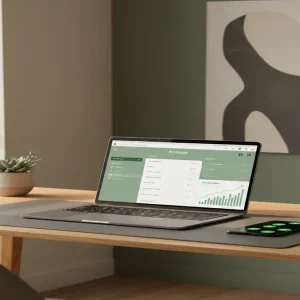
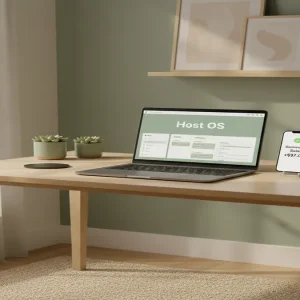
Create a seller account on a platform like Etsy. Design compelling listing images using Canva that showcase the spreadsheet in action. Use mockup generators to make your digital file look like a tangible product on an iPad or laptop screen. Write a keyword-rich description and hit publish.
The Financial Breakdown: What You Can Actually Make
Let’s talk real numbers. This isn’t a get-rich-quick scheme, but it’s a highly scalable business model that compounds over time.
Realistic Earning Timelines
In your first month, you might only make $50 to $100 as the algorithm learns your products. However, as you build a portfolio of 10 to 20 high-quality sheets, intermediate sellers typically see between $1,000 and $4,000 per month. Advanced creators with optimized Etsy shops and external traffic from Pinterest or TikTok routinely cross the $10,000 per month threshold.
Required Tools and Resources
You only need a handful of free or low-cost tools to run this entire operation efficiently.
- Google Sheets: Your primary creation engine (Free).
- Canva: For designing eye-catching listing mockups and shop banners (Free or $12.99/mo for Pro).
- Etsy or Gumroad: The highly trafficked marketplaces where you will host and sell your digital files.
- eRank or Marmalead: For deep-dive SEO keyword research to ensure your listings are found by buyers.
Fatal Mistakes That Will Kill Your Sales
Even though this is a straightforward business, many beginners shoot themselves in the foot by making these easily avoidable errors.
Making It Too Complicated
Your buyer is likely not a spreadsheet expert. If your template requires them to input data across fifteen different tabs just to see a result, they’ll get frustrated and leave a bad review. Keep the user experience as frictionless as possible.
Ignoring the Visual Presentation
People buy with their eyes. If your listing images are just boring screenshots of gray cells, nobody will click on them. You must use high-quality mockups to show the transformation and organization your product provides.
Neglecting Customer Support Instructions
The fastest way to drain your passive income is by spending hours answering emails about how to copy the Google Sheet. Always include a PDF download that contains the access link and a link to a private, two-minute YouTube video explaining exactly how to use the template.
Your Next Move to Passive Income
Learning how to sell Google Sheets on Etsy is one of the lowest-risk, highest-reward side hustles available today. It forces you to learn valuable skills like market research, basic design, and digital marketing, all while building assets that pay you repeatedly.
Don’t let imposter syndrome hold you back. You don’t need a business degree to organize data effectively. Pick one specific problem you know how to solve, open a blank spreadsheet today, and start building your first digital asset.
Here is your quick-start checklist to get moving right now:
- Identify a micro-niche you understand deeply.
- Build a functional, simple spreadsheet to solve their main problem.
- Design three beautiful mockups in Canva.
- Publish your first listing on Etsy and watch the data.