The Lucrative Power of the Boring Spreadsheet
Did you know that a simple spreadsheet for tracking rental property expenses can sell for $47 over and over again, even in the age of advanced AI? It sounds almost too simple to be true, but the “boring” software market is currently a goldmine for those who know how to package organization as a product. While the rest of the world is fighting over complex SaaS startups and saturated YouTube niches, smart creators are building digital assets that solve one specific problem for one specific person using tools they already own. I’m talking about turning a standard Google Sheet into a high-functioning micro-tool that business owners are desperate to buy.
📹 Watch the video above to learn more!
You see, most small business owners are drowning in data but starving for clarity. They don’t need another subscription-based software with a steep learning curve; they need a system that works inside a platform they already understand. By creating hyper-niche Google Sheets templates, you aren’t just selling a file; you’re selling a solution to their chaos. This is the ultimate “build once, sell forever” model that requires zero inventory, zero shipping costs, and almost no overhead. Let’s dive into why this works and how you can claim your piece of this invisible market.
Why Niche Businesses Crave Your Simple Sheets
The best part about this method is the psychological shift in how customers perceive value. A business owner doesn’t see a $50 spreadsheet; they see 10 hours of manual work saved every single week. When you target a niche—like Etsy shop owners, CrossFit gym managers, or independent truck drivers—you’re speaking directly to their specific pain points. They have unique data tracking needs that generic software often ignores or overcomplicates. Your spreadsheet provides the “Goldilocks” solution: it’s just powerful enough to do the job without being a headache to manage.
The Low Overhead Advantage
Unlike traditional e-commerce, your profit margins here are nearly 100%. You don’t have to worry about manufacturing, storage, or complex coding. If you can use a SUMIF formula and make a cell look pretty with conditional formatting, you already have the technical skills required. Google Sheets is free to use, and hosting your digital storefront on platforms like Gumroad or Etsy costs pennies compared to the potential returns. It’s the lowest barrier to entry for anyone looking to start a digital product business in 2024.
The Psychology of the Micro-Tool
People are suffering from “subscription fatigue.” They are tired of paying $19/month for software they only use 20% of. A one-time purchase of a specialized spreadsheet feels like a bargain. It’s an asset they own forever, it lives in their own Google Drive, and they can customize it. When you position your sheet as a “Micro-Tool” rather than just a template, you instantly elevate your brand above the thousands of basic checklists found on Pinterest.
How to Build Your Spreadsheet Empire From Scratch
Ready to start? You don’t need to be a data scientist to make this work. Here is the exact five-step process to go from a blank grid to your first $1,000 month. Follow these steps closely, because the magic is in the execution, not just the idea.
Step 1: Identify a Data-Heavy Niche
Don’t try to make a “budget tracker” for everyone. That market is dead. Instead, look for people who have to track specific numbers for their livelihood. Look at Airbnb hosts who need to track cleaning schedules and occupancy rates across multiple properties. Look at hobbyist gardeners who track seed germination dates and soil pH levels. Go to Reddit or Facebook Groups and look for the phrase “Does anyone have a template for…?” That is your green light. If people are asking for it, they will pay for it.
Step 2: Build the Logic and Automation
This is where you add the value. Your sheet should do the heavy lifting for the user. Use Conditional Formatting to highlight when a budget is over-spent or a deadline is approaching. Use Data Validation (drop-down menus) to make data entry foolproof. If you want to get fancy, learn a tiny bit of Google Apps Script to automate tasks, like clicking a button to generate a PDF invoice directly from the sheet data. The more “magic” that happens automatically, the more you can charge.
Step 3: Creating the “Wow” Dashboard
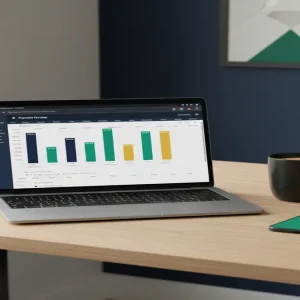
Nobody wants to look at a wall of gray cells. The secret to high-ticket spreadsheets is the Dashboard tab. Use Google Sheets’ built-in charting tools to create visual representations of the data. Use clean fonts, plenty of white space, and a cohesive color palette (I recommend using a site like Coolors.co for this). When a customer opens your file and sees a professional-looking visual summary of their business, the perceived value of your product triples instantly.
Step 4: Setting Up Your Automated Storefront
Once your template is polished, you need a way to deliver it. I recommend using Gumroad or Etsy. On Gumroad, you can set up a product page in ten minutes. When someone buys, they receive a PDF with a “Click here to copy the template” link. This ensures they get a fresh copy in their own Google Drive without editing your master file. This setup allows you to make sales while you sleep, as the entire delivery process is automated by the platform.
Step 5: Driving Targeted Traffic Without Ads
You don’t need a huge marketing budget. The best way to sell these is through “demonstration marketing.” Create a 60-second video for TikTok or Pinterest showing how the spreadsheet works. Show the data being entered and the charts automatically updating. Use keywords like “Airbnb management tool” or “Etsy profit calculator.” These platforms love visual transformations, and seeing a messy pile of data turn into a beautiful chart is highly satisfying and shareable.
Financial Reality Check: What Can You Actually Earn?
Let’s talk numbers because that’s why you’re here. A well-designed, niche spreadsheet typically sells for between $27 and $67. If you price your product at $45 and sell just three copies a week, you’re looking at over $500 a month in passive income. However, the real scaling happens when you create a “Bundle.” Once you have 5-7 related templates, you can sell a “Complete Business Command Center” for $197. Many creators in this space reach the $3,000 to $5,000 per month mark within six to nine months of consistent output. Your first dollar usually comes within 14 days of listing your first product if you are active in niche forums.
Required Tools and Resources
- Google Sheets: Your primary development environment (Free).
- Gumroad: To host your product and handle payments (Free to start).
- Loom: To record short tutorial videos for your customers (Free version available).
- Canva: To create your listing images and PDF delivery instructions.
- Pinterest: Your primary engine for free, high-intent traffic.
Common Pitfalls to Avoid
The biggest mistake beginners make is overcomplicating the user interface. If the user has to read a 20-page manual to use your sheet, they will ask for a refund. Keep your instructions embedded directly in the sheet using notes or a dedicated “Start Here” tab. Another mistake is forgetting to “Protect” your formulas. Always lock the cells that contain complex logic so that your customers don’t accidentally delete a formula and break the entire system. Finally, don’t ignore mobile users. While most will use your sheet on a desktop, ensure the main dashboard is readable on a smartphone screen.
Your Next Step Toward Passive Revenue
The opportunity in micro-tools is massive because it solves a universal problem: the need for order. You don’t need to be a tech genius; you just need to be 10% more organized than your target customer. Here is your challenge: Go to a niche subreddit today, find one person complaining about how they track their data, and build a simple three-tab solution for them. Once you see the reaction to your first prototype, you’ll realize just how much people are willing to pay for a little bit of digital clarity. Stop consuming and start building your first asset today.