The Spreadsheet Secret Nobody Told You
You’re sitting on a goldmine every time you open a blank spreadsheet, yet you’re likely using it to track your grocery list instead of building a $3,000-a-month digital empire. While the rest of the world is obsessed with complex SaaS platforms and expensive AI subscriptions, savvy solopreneurs are quietly making a fortune selling what I call ‘Niche Operating Systems’ built entirely in Google Sheets. It sounds too simple to be true, doesn’t it? Here’s the thing: businesses don’t want more software; they want solutions that work in the environments they already use every day. By the time you finish reading this, you’ll understand exactly how to turn a free Google tool into a high-ticket asset that pays you while you sleep.
📹 Watch the video above to learn more!
What Exactly is a Niche Spreadsheet ‘Operating System’?
Let’s clear one thing up immediately: we aren’t talking about basic budget trackers or simple checklists you’d find for $2 on a generic marketplace. A Spreadsheet Operating System (OS) is a comprehensive, automated workflow designed to manage a specific business function for a specific type of person. Think of a ‘Boutique Airbnb Management OS’ or a ‘Personal Trainer Client Results Engine.’ These tools use advanced formulas, data validation, and simple automation to mimic the functionality of expensive custom software.
It’s Not Just a Template
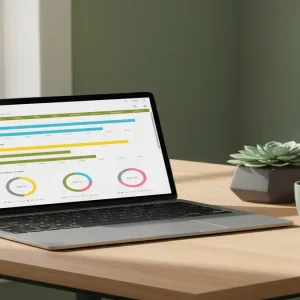
A template is passive; an Operating System is active. When you build an OS, you’re creating a dashboard that tells a business owner exactly what to do next. It calculates their margins in real-time, alerts them when inventory is low, and generates professional reports with the click of a button. You aren’t selling cells and rows; you’re selling time, clarity, and peace of mind. Have you ever noticed how overwhelmed small business owners get with ‘feature-heavy’ software? That’s where your opportunity lies.
The Power of Micro-Automation
The secret sauce of a high-ticket Google Sheet is the integration of Google Apps Script and basic ‘if-this-then-that’ logic. You don’t need to be a computer scientist to use these. With a few simple scripts—often found for free online—you can make a spreadsheet send automated emails, sync with Google Calendar, or pull live data from the web. This level of functionality transforms a humble sheet into a powerful tool that businesses are more than happy to pay a premium for.
Why Businesses Pay Premium Prices for Simple Sheets
You might be wondering, ‘Why wouldn’t they just buy a professional software subscription?’ The answer is simple: subscription fatigue is real. Small business owners are tired of paying $49/month for tools they only use 10% of. When they buy your Spreadsheet OS, they pay once and own it forever. There are no logins to manage, no recurring fees, and zero learning curve because everyone already knows how to type into a cell. It fits perfectly into their existing Google Workspace, making it the path of least resistance.
Zero Learning Curve for Clients
Most SaaS products require hours of onboarding and tutorials. A well-designed Google Sheet is intuitive. If a client knows how to use a keyboard, they can use your product. This lack of friction is a massive selling point that allows you to charge $150, $300, or even $500 for a single delivery. Can you imagine the profit margins when your cost of goods sold is literally zero?
Your 5-Step Blueprint to Spreadsheet Sovereignty
Ready to build your first digital asset? Follow this exact framework to go from a blank grid to a revenue-generating product in less than two weeks. Don’t overthink it; the best products are often the ones that solve the most ‘boring’ problems.
Step 1: Find the Friction in a Boring Industry
Avoid the ‘general’ niches like fitness or finance. Instead, go deep. Look for industries that are slightly behind the tech curve—think HVAC contractors, specialized Etsy crafters, or independent property managers. Ask yourself: ‘What are they currently tracking with pen and paper or a messy desktop folder?’ That friction is where your profit lives. For example, an ‘Etsy Seller COGS & Tax Prep Dashboard’ is worth infinitely more than a ‘Money Tracker.’
Step 2: Architect the Workflow
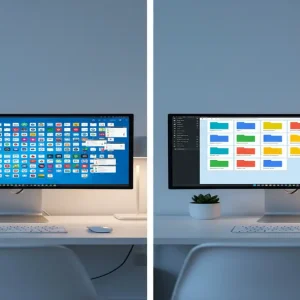
Before you touch a formula, map out the journey of the data. What is the one piece of information the user inputs? What are the three calculations that matter most to them? And finally, what is the ‘Aha!’ moment they see on their dashboard? Your goal is to move the user from ‘Data Entry’ to ‘Decision Making’ as fast as possible. Visualizing this workflow first ensures your sheet doesn’t become a cluttered mess.
Step 3: Sprinkle in the ‘Magic’ (Automation)
This is where you differentiate yourself from the $5 templates. Use Conditional Formatting to make the sheet change colors based on performance. Implement Data Validation drop-downs to prevent user error. If you’re feeling bold, use Google Apps Script to add a custom menu button that exports a PDF report directly to their Google Drive. These ‘magical’ touches are what justify a triple-digit price tag.
Step 4: Create the ‘Instructional Vault’
The biggest hurdle for digital products is customer support. You can eliminate 90% of questions by recording a series of 2-minute Loom videos explaining how to use each tab. Embed these video links directly into the ‘Instructions’ tab of your spreadsheet. This makes your product feel like a premium course and tool hybrid, significantly increasing its perceived value.
Step 5: Launch on Niche-Specific Marketplaces
Don’t just throw it on a massive site and hope for the best. While Etsy is great for reach, Gumroad is better for professional tools. The real secret? Go where your audience hangs out. If you built a tool for Airbnb hosts, share a ‘lite’ version in Facebook groups for hosts and offer the full ‘OS’ as an upgrade. This targeted approach builds authority and drives high-conversion traffic without spending a dime on ads.
The Math: Realistic Earnings and Timelines
Let’s talk numbers because that’s why you’re here. A specialized Spreadsheet OS typically sells for between $97 and $247. If you price your tool at $147 and sell just one per week, you’re looking at nearly $600 a month in passive income. However, once you find ‘product-market fit’ in a specific niche, it’s common to see 20-30 sales per month. That’s $2,940 to $4,410 in monthly revenue with zero inventory and zero shipping costs. Most creators see their first sale within 14 days of launching if they engage directly with their target niche communities.
Your Essential Toolbox
- Google Workspace: Your primary development environment (Free).
- Loom: For creating quick, professional video tutorials (Free version works).
- Gumroad: To host your file and process payments securely.
- AppSheet: If you want to turn your spreadsheet into a mobile app (Optional/Advanced).
- Canva: To create a professional-looking ‘cover image’ for your digital product.
Pitfalls to Avoid on Your Way to Profit
The most common mistake is over-engineering. You don’t need 50 tabs; you need five that work perfectly. Secondly, never forget to ‘protect’ your formulas. There is nothing worse than a customer accidentally deleting a complex calculation and asking for a refund. Always lock your calculation cells before delivery. Lastly, don’t ignore the aesthetics. A spreadsheet that looks like a professional software interface will always outsell a ‘grey and white’ grid, regardless of how good the formulas are.
Your First Move Today
The barrier to entry has never been lower, but the window for ‘simple’ digital assets is wide open. You don’t need to learn Python or invest in a startup. You just need to solve one specific problem for one specific group of people using the tools you already have. Your next step: Spend 30 minutes on a niche forum (like a subreddit for small business owners) and look for the phrase ‘How do I track…’ or ‘Is there a way to manage…’. That is the blueprint for your first $3,000-a-month product.