Stop building generic planners. Start solving expensive problems for neurodivergent brains.
Here is the brutal truth about the digital product market: nobody needs another generic "Weekly Planner" PDF. The market is drowning in them. But while the general market is saturated, there is a quiet, desperate corner of the internet begging for a specific solution.
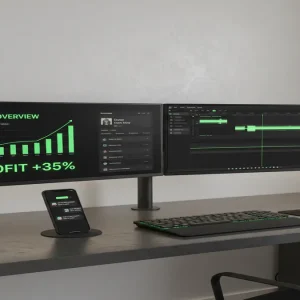
📹 Watch the video above to learn more!
I’m talking about the Neurodivergent Productivity Economy.
Specifically, building "Second Brain" systems in Notion designed for people with ADHD. This isn’t just about making lists; it’s about selling executive function to people who struggle with it daily. And because this solves a painful, recurring problem, people are willing to pay a premium for it.
If you can drag-and-drop blocks in Notion, you can build a digital asset that generates passive income while you sleep. Let me show you exactly how this micro-business works.
What Are ADHD Notion Systems?
Notion is a powerful productivity tool, but for someone with ADHD, a blank Notion page is a nightmare. It’s overwhelming. It requires too much setup.
An ADHD Notion System is a pre-built template designed to bypass the overwhelm. Unlike corporate dashboards that focus on complex databases, these templates focus on visual clarity and dopamine.
They function as an external hard drive for the user’s brain. They track habits, manage finances, or organize student life, but they do it with gamification elements, bright colors, and "stupid-simple" navigation.
You aren’t selling a template; you are selling clarity. You are selling the feeling of finally having your life together.
Why This Niche is a Goldmine Right Now
You might be thinking, "Is this really profitable?" Let’s look at the psychology behind the purchase.
1. The "ADHD Tax" is Real:
People with executive dysfunction often spend money to alleviate the stress of disorganization. A $25 template that promises to organize their chaotic student life is an impulse buy that feels like a necessity.
2. High Perceived Value:
A PDF planner feels static and cheap. A Notion system is interactive. It has buttons, progress bars that fill up (dopamine hit!), and interconnected databases. It feels like software, so you can charge software prices without writing a line of code.
3. The "TikTok" Factor:
Notion templates are inherently visual. They go viral easily on TikTok and Pinterest. A 7-second video showing a "satisfying" checkbox animation can drive thousands of dollars in sales overnight.
How to Build Your First $5K Month (Step-by-Step)
You don’t need to be a Notion certified consultant. You just need to understand the user’s pain.
Step 1: Pick a Micro-Niche
Don’t build an "Everything OS." That is too broad. Pick a specific struggle. Examples include:
- The "Dopamine Menu" for creatives (managing burnout).
- The "ADHD Student Dashboard" (assignment tracking).
- The "Impulse Spending Tracker" (visual finance).
Step 2: Build with "Low Friction" in Mind
Open Notion and start building. Your design philosophy must be Low Friction. If it takes more than two clicks to log a habit, your user will abandon it.
Use large buttons. Use icons. Automate the dates. Make it impossible to break. Remember, your customer gets overwhelmed easily—your product must be the antidote to that.
Step 3: Gamify the Experience
This is your secret weapon. Use Notion formulas to create progress bars. When a user checks off 50% of their tasks, show a green bar. When they hit 100%, show a "Success!" message.
These micro-interactions trigger dopamine. That feeling is what gets you 5-star reviews.
Step 4: Package and Price
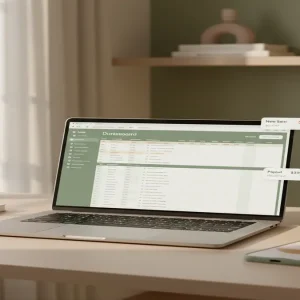
Export your page as a template link. Create a simple cover image in Canva that shows the template in action on a laptop screen.
Upload it to a marketplace. Do not overthink the pricing. Start between $15 and $35 depending on complexity. This is the "no-brainer" price range for digital tools.
Step 5: The "Visual Proof" Marketing Strategy
You don’t need a blog. You need Pinterest and TikTok. Record your screen while using the template. Show the progress bar filling up. Show the "dark mode" aesthetic.
Post these clips with captions like "How I finally stopped missing assignments" or "My brain only works when I use this setup." Link directly to your shop.
Realistic Earnings Potential
Let’s break down the math. This is a volume game, but the margins are 100%.
If you sell a specialized "ADHD Finance Tracker" for $20:
- 1 sale a day: $600/month (Groceries covered)
- 5 sales a day: $3,000/month (Full-time income for many)
- 9 sales a day: $5,400/month (The goal)
Top creators in this space are clearing $20k+ monthly, but hitting $3k-$5k is a very realistic target within 3-6 months if you consistently release new templates.
The Tech Stack You Need
The barrier to entry is laughably low. You can start with $0.
- Notion (Free): To build the product.
- Lemon Squeezy or Gumroad (Free to start): To host the checkout and deliver the file.
- Canva (Free): To create the product mockups for your store.
- Pinterest Business Account (Free): To drive long-term organic traffic.
Common Mistakes That Kill Sales
I see beginners fail because they ignore these three things:
1. Overcomplicating the System:
If your template requires a 30-minute tutorial video to understand, it’s too complex. Your refund rate will be high.
2. Ignoring Mobile View:
50% of your users will open Notion on their phone. If your dashboard looks like a mess on mobile, you’ve lost them. Always test responsiveness.
3. Generic Aesthetics:
Beige minimalism is popular, but don’t be afraid of "Cyberpunk", "Cottagecore", or "Y2K" themes. Unique aesthetics help you stand out in the marketplace search results.
Your Next Move
You are trading time for money right now. A Notion template is a digital asset that trades value for money, 24/7.
Here is your homework: Tonight, open Notion. Create a blank page. Build a simple "Daily Dopamine List" designed for someone who hates to-do lists. Make it pretty. Make it fun.
Then, put it up for sale for $5. That first sale will change your perspective on income forever.