The ‘Admin Hell’ Problem That’s Worth Thousands to Solve
Most freelancers are losing exactly 10 to 15 hours every single week to what I call ‘Admin Hell’—the chaotic back-and-forth of emails, lost attachments, and ‘where are we at?’ messages from clients. You might think they’d just build a system to fix it, but here is the surprising reality: most high-earning freelancers are too busy doing the work to actually organize the work. This creates a massive, high-ticket opportunity for you to step in as the architect of their efficiency. While everyone else is fighting over $15 ‘habit trackers’ on Etsy, you can build a high-margin micro-business by selling specialized Client Portals for $250 or more.
📹 Watch the video above to learn more!
What Exactly is a Notion Client Portal?
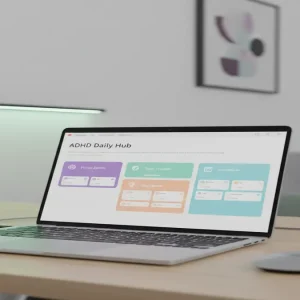
A Notion Client Portal is a centralized, professional ‘command center’ where a freelancer and their client collaborate. Instead of a messy thread of 50 emails, the freelancer gives the client one single Notion link. Inside that link is a beautifully designed dashboard containing the project timeline, file uploads, invoice tracking, and feedback loops. It’s not just a template; it’s a professional transformation. When you sell a portal, you aren’t selling software; you are selling the freelancer the ability to look more professional and reclaim their Sunday afternoons.
Why This Niche is a Untapped Goldmine
The reason this works so effectively is the ‘Professionalism Gap.’ A freelance graphic designer might charge $3,000 for a logo, but if they send that logo via a Google Drive link in a messy email, they feel like a low-level amateur. If they present that same logo inside a branded, sleek Notion portal, they feel like a high-end agency. They are willing to pay $250 one time for a system they can reuse for every client because it justifies their high rates. The best part? You only have to build the master system once. After that, every sale is nearly 100% profit with zero inventory costs.
How to Build Your Portal Empire in 5 Steps
Step 1: Pick a High-Value ‘Pain Point’ Niche
Don’t try to build a portal for ‘everyone.’ If you build a portal for everyone, you build it for no one. Instead, pick a specific niche like Wedding Photographers, Interior Designers, or Ghostwriters. These professionals have specific workflows. A wedding photographer needs a ‘Gallery Delivery’ section and a ‘Shot List’ checklist. An interior designer needs a ‘Material Sourcing’ database. When you speak their specific language, your $250 price tag looks like a bargain compared to the custom software they would otherwise need.
Step 2: Architect the ‘Single Source of Truth’
Open Notion and start building your master framework. You need three core pillars: Communication, Documentation, and Delivery. Create a ‘Project Roadmap’ using the Timeline view so the client always knows what’s next. Add a ‘Resource Hub’ for branding assets and contracts. The key here is to use Notion’s ‘Database Templates’ feature. This allows the freelancer to click one button and generate a brand-new portal for every new client they sign. You are selling them a repeatable engine, not a static page.
Step 3: The ‘Loom’ Strategy for High-Ticket Sales
Forget boring sales pages with just screenshots. The secret to selling these portals is video. Use a tool like Loom to record a 5-minute walkthrough of your portal. Show exactly how a freelancer would use it. Point out the ‘wow’ factors, like the automated progress bar or the feedback gallery. When a busy freelancer sees the system in action, they can immediately visualize their life being easier. This video becomes your primary marketing asset on social media and your storefront.
Step 4: Set Up Your Frictionless Storefront
You don’t need a complex website. Use Gumroad or Lemon Squeezy to host your digital product. These platforms handle the payment processing, tax collection, and digital delivery automatically. When someone buys, they receive a PDF with a ‘Duplicate’ link to your Notion template. This means you can make sales while you sleep, and the customer gets instant gratification. Ensure your checkout page emphasizes the time saved—remind them that this portal pays for itself if it saves them just two hours of work.
Step 5: Direct Outreach and Ecosystem Marketing
Where do these freelancers hang out? They are on LinkedIn, X (Twitter), and in specific Facebook groups. Don’t spam them. Instead, share ‘Value Posts.’ Post a screenshot of a specific feature—like a ‘Client Onboarding Checklist’—and explain how it saves time. When people comment asking how it works, send them the link to your Loom demo. You can also list your portal on the Notion Template Gallery to get organic traffic from people already looking for solutions within the ecosystem.
Realistic Earnings and Growth Timeline
The Math of Micro-Business Success
Let’s look at the numbers. If you price your niche-specific portal at $250, you only need 4 sales a month to hit $1,000 in side income. If you scale your marketing and reach 16 sales a month—which is just one sale every two days—you are looking at $4,000 a month in nearly passive revenue. Most creators reach their first sale within 14 to 21 days of launching their first niche portal. Your initial investment is $0 if you use the free version of Notion, making this a zero-risk entry into the digital product world.
Required Tools and Resources
- Notion: The core platform for building your portals.
- Loom: For creating high-conversion demo videos and tutorials.
- Canva: To design professional thumbnails and ‘cover images’ for your Notion pages.
- Gumroad: To manage payments and automated delivery.
- Beehiiv: (Optional) To build a newsletter of freelancers you can upsell later.
Common Pitfalls to Avoid
Don’t Over-Complicate the Design
The biggest mistake beginners make is adding too many ‘fancy’ widgets and complex formulas. Freelancers want a tool that works, not a puzzle they have to solve. Keep the interface clean, fast, and intuitive. If a client can’t figure out where to click within 5 seconds, the portal has failed. Stick to the basics: clear headers, simple databases, and plenty of white space.
Ignoring the Onboarding Experience
When someone buys your $250 portal, they might be a Notion beginner. If you just send them a link and disappear, they will get frustrated and ask for a refund. Include a ‘Start Here’ video or a simple PDF guide that explains exactly how to duplicate the template and customize it for their brand. A great onboarding experience leads to 5-star reviews and word-of-mouth referrals, which are the lifeblood of this business.
Underpricing Your Value
Do not price your portals at $20. When you price low, you attract ‘problem’ customers who demand the most support. When you price at $150-$300, you attract professional freelancers who value their time and respect your expertise. High prices signal high quality. You are selling a business solution, not a hobbyist’s toy.
Your Next Move
The demand for organized remote work is only growing. Your next step is simple: Pick one specific freelance profession today (e.g., Copywriters) and list the top 5 things they struggle to track with their clients. That list is the blueprint for your first $250 portal. Don’t wait for the ‘perfect’ design—build the solution to their biggest headache and hit publish.