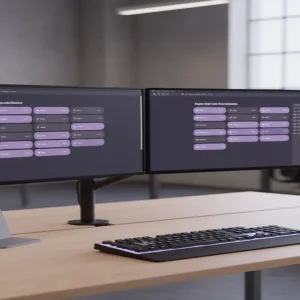
The Era of the High-Ticket Digital Architect
Most people treat Notion like a glorified digital notebook, but savvy creators are quietly earning $1,500 per client by building what I call “Second Brain Architectures.” While the average template seller struggles to make $10 on a generic habit tracker, digital architects are solving high-level operational problems for six-figure solopreneurs. Have you ever considered that a disorganized business owner would gladly pay four figures to have their chaos transformed into a streamlined, automated dashboard?
📹 Watch the video above to learn more!
It’s not about selling a pretty page; it’s about selling time and mental clarity. Here’s the thing: we’re currently living through a ‘productivity debt’ crisis where creators have too many tools and zero systems. By positioning yourself as the person who integrates their entire workflow into one hub, you stop being a digital artist and start being a high-value consultant. Let me show you how to pivot from the $20 template grind to the $1,500 architecture model.
What Exactly is a Niche-Specific Notion Architecture?
A Notion Architecture is a custom-built operating system designed for a specific professional workflow. Unlike a template you buy on a marketplace, an architecture includes relational databases, automated progress bars, and interconnected dashboards that talk to each other. You aren’t just giving them a place to write; you’re building a machine that tracks their revenue, manages their team, and schedules their content automatically.
The Difference Between Templates and Systems
Think of a template as a single room and an architecture as the entire smart home. A template is static and often requires the user to do the heavy lifting of organization. An architecture uses Notion’s advanced features—like Formulas 2.0 and Buttons—to reduce friction and make the system feel alive. When you sell a system, you’re selling a transformation of how a business functions on a daily basis.
Why Solopreneurs are Desperate for This
The best part? Your target audience is already overwhelmed. They’re using five different apps that don’t talk to each other, and they’re losing hours every week to ‘administrative drag.’ When you show them a single Notion dashboard that replaces their CRM, project manager, and content calendar, the price tag becomes an investment rather than an expense. They aren’t buying software; they’re buying their Friday afternoons back.
Why This High-Ticket Model Works Right Now
We are seeing a massive shift away from ‘broad’ digital products toward ‘hyper-specific’ solutions. In 2024, nobody wants a ‘General Productivity Planner,’ but a ‘YouTube Studio Command Center for Tech Reviewers’ is a must-have. By narrowing your focus, you become the only logical choice for that specific group of people. This specificity allows you to charge a premium because your solution feels like it was tailor-made for their exact pain points.
The Power of Perceived Value
Why does a custom suit cost more than one off the rack? It’s the fit. When you audit a client’s workflow and build a Notion space that mirrors their specific brain logic, the perceived value skyrockets. You’re no longer competing with $5 templates on Etsy; you’re competing with expensive SaaS subscriptions that charge $50 per user, per month. Suddenly, a one-time fee of $1,500 looks like a bargain.
How to Get Started as a Digital Architect
- Identify Your ‘High-Value/Low-Tech’ Niche: Look for industries where people make good money but aren’t necessarily tech-savvy. Think real estate agents, interior designers, or boutique marketing agency owners. These professionals have complex workflows but often rely on messy spreadsheets or paper notes.
- The Workflow Audit: Reach out to three people in your chosen niche and offer a free 15-minute ‘Workflow Audit.’ Ask them where they lose time and what information they struggle to track. This isn’t a sales call; it’s research that tells you exactly what features your architecture needs to include.
- Build the ‘Minimum Viable Workspace’ (MVW): Create a core system that solves the three biggest problems identified in your research. For a real estate agent, this might be a Lead Tracker, a Property Gallery, and a Closing Checklist. Ensure these are all linked so that a lead automatically becomes a client with one click.
- Record a Loom Demo: Instead of a long sales page, record a 5-minute video of yourself navigating the workspace. Show, don’t tell. Show how clicking one button updates five different databases. This ‘magic’ is what closes the deal.
- Price for Transformation: Start your pricing at $500 for your first three clients to build a portfolio. Once you have testimonials proving you saved them 5+ hours a week, jump your price to $1,500. Remember, you’re charging for the result, not the hours it took you to build it.
Realistic Earnings and Timelines
If you’re starting from scratch, expect a 14-day window to learn the advanced features of Notion (databases, relations, and formulas). Your first dollar usually comes within 21 to 30 days once you start pitching your Loom demos. A realistic goal for a solo architect is 2 to 4 clients per month. At $1,500 per client, that’s a consistent $3,000 to $6,000 monthly revenue stream with nearly 100% profit margins.
Scaling Beyond 1-on-1 Services
Once you’ve perfected a system for a specific niche, you can ‘productize’ it. Take that $1,500 custom build, strip out the client’s private data, and sell it as a premium DIY kit for $150 to $250. This allows you to capture the lower end of the market while you continue to service high-end clients personally. This hybrid model is how you scale to $10k months without burning out.
Essential Tools for the Digital Architect
- Notion: Your primary build site (Free or Plus plan).
- Loom: For recording personalized demos and tutorials for clients.
- Tally.so: To create beautiful intake forms that feed directly into your Notion builds.
- Gumroad or LemonSqueezy: For handling payments and delivering the final digital assets.
- Canva: To create custom icons and covers that make your architectures look high-end.
Common Mistakes to Avoid
Over-complicating the UI: The biggest mistake is making a system that looks like a spaceship but is impossible to navigate. If your client has to watch a 2-hour tutorial to use your system, they won’t use it. Keep the interface clean and the ‘Input’ areas obvious.
Underpricing Your Worth: If you charge $50, clients will treat you like a vendor. If you charge $1,500, they treat you like a partner. High prices often attract better, more respectful clients who are actually committed to using the system you build.
Forgetting the Mobile Experience: Many architects build beautiful desktop views but forget that clients check their Notion on their phones while on the go. Always optimize a ‘Mobile Dashboard’ for quick entries and status checks.
Your Next Step to $1,500 Builds
The fastest way to start is to pick one person you know who is overwhelmed by their business and offer to build their ‘Second Brain’ for a testimonial. Once you see the look on their face when their chaos is organized, you’ll never go back to basic freelancing again. Go open a blank Notion page right now and map out the workflow for your chosen niche.