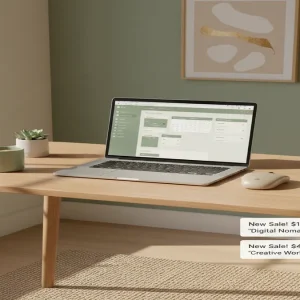
Most people think you need to learn complex coding languages to build profitable software. But right now, ordinary creators are quietly building “Micro-SaaS” businesses using nothing but Google Sheets, generating thousands in passive income every single month. If you can type a basic formula into a cell, you already have the skills to build digital assets that pay you forever.
📹 Watch the video above to learn more!
The Rise of Micro-SaaS Spreadsheets
Let’s clear up a common misconception right away. When you hear “software as a service” (SaaS), you probably picture massive tech companies with hundreds of developers. But a new wave of digital entrepreneurs is redefining the industry through Micro-SaaS spreadsheets.
Instead of building apps from scratch, these creators use Google Sheets as their backend database, logic engine, and user interface. They design highly specialized, automated tracking systems that solve one specific problem for one specific group of people.
Think about a wedding budget tracker that automatically calculates payment deadlines and sends visual alerts. Or an inventory management system specifically designed for Etsy jewelry makers. You are taking the raw power of a spreadsheet and packaging it into a beautiful, user-friendly software product.
Why Spreadsheets Are the Ultimate Digital Product
You might be wondering why someone would pay for a spreadsheet when Google Sheets is completely free. The truth is, people aren’t paying for the software itself; they are paying for the time you save them and the highly specialized system you built.
Zero Overhead Costs
Traditional software requires expensive server hosting, database management, and constant bug fixing. With a Google Sheet, Google handles all the hosting and infrastructure for free. Your profit margins are practically one hundred percent, allowing you to keep every dollar you earn.
Instant Delivery and Setup
When a customer buys your product, they simply click a link to duplicate the master sheet into their own Google Drive. There is no complicated installation process or customer support required to get them onboarded. It is the absolute definition of a digital product that sells itself.
High Perceived Value
A blank spreadsheet is overwhelming to most people. But a beautifully designed dashboard with automated charts, drop-down menus, and color-coded alerts feels like a premium piece of software. Customers happily pay $20 to $50 for a system that instantly organizes their chaos.
Your Step-by-Step Blueprint to Launching
Ready to build your first profitable spreadsheet? Here is the exact blueprint to take you from a blank grid to a revenue-generating digital asset.
Step 1: Identify a Painful Micro-Niche
Do not build a generic budget tracker. The market is entirely saturated. Instead, niche down until it hurts. Build a “Profit Tracker for Airbnb Arbitrage Hosts” or a “Meal Prep Calculator for Competitive Bodybuilders.” The more specific your audience, the easier it is to charge premium prices.
Step 2: Build the Core Logic
Start by mapping out the exact workflow your customer needs. Set up your raw data tabs, input fields, and the formulas that will do the heavy lifting. Don’t worry about making it pretty just yet. Focus entirely on making sure the math works perfectly.
Step 3: Design a Software-Like Dashboard
This is where the magic happens. Create a “Dashboard” tab that acts as the homepage. Hide the gridlines. Use a cohesive color palette. Insert charts that automatically update based on the raw data. Make it look like a sleek web app rather than a boring accounting document.
Step 4: Protect and Package Your Asset
Lock down the cells that contain your complex formulas so users don’t accidentally break the sheet. You can easily use the built-in protection features. Then, generate a “Make a copy” link. This ensures every buyer gets their own clean version without altering your master file.
Step 5: Set Up Your Automated Storefront
Create a product page on a platform like Gumroad or Etsy. Upload high-quality screenshots of your beautiful dashboard. Write a compelling description that focuses on the time your spreadsheet will save the buyer. Connect your bank account, and you are officially open for business.
To maximize your initial sales, follow this proven 3-step launch sequence:
- Tease the dashboard design on TikTok or Pinterest.
- Collect emails via a Gumroad pre-launch page.
- Email the waitlist with a 24-hour discount code.
The Financial Breakdown: What to Expect
Let’s talk numbers. Unlike physical businesses, your earning potential here is entirely decoupled from the hours you work. You build the asset once, and it can sell infinitely across the globe without any shipping delays.
Realistic Earnings Potential
Beginners can realistically expect to make between $500 and $1,500 per month within their first three months of consistent effort. As you build a portfolio of 3 to 5 high-quality sheets, scaling to $4,000+ per month is highly achievable. If you sell a sheet for $25, you only need 4 sales a day to hit $3,000 a month. That is completely doable with the right traffic strategy.
Timeline to First Dollar Earned
If you dedicate a weekend to building your sheet and setting up your storefront, you can make your first sale within 14 to 30 days. The key is driving targeted traffic through visual platforms like Pinterest or educational short-form videos on TikTok.
Required Investment and Skill Level
The financial barrier to entry is virtually zero. You can start this business with $0 out of pocket. Your only real investment is the 10 to 20 hours required to research, build, and design your first premium spreadsheet before launching it to the world. You only need a beginner to intermediate understanding of spreadsheet formulas to get started.
Your Essential Tool Stack
You don’t need a massive tech stack to run this business. Here are the specific tools you need to build and sell your digital assets.
- Google Sheets: Your core building platform. It is free, cloud-based, and universally accessible.
- Gumroad: The absolute best platform for selling digital downloads. They handle the payment processing and automatic file delivery.
- Canva: Essential for designing beautiful mockups and listing images for your storefront.
- Loom: Use this free screen recording tool to film a quick 3-minute tutorial video showing buyers how to use your sheet.
- OnlySheets: An optional but powerful specialized tool that restricts access to your Google Sheet only to verified buyers, preventing unauthorized sharing.
Common Pitfalls to Avoid
Even though this is a straightforward business model, many beginners trip up on the same predictable hurdles. Keep these in mind as you build.
Overcomplicating the First Version
Don’t try to build a massive, 20-tab behemoth for your first product. Start with a lean, simple solution to one specific problem. You can always release a “Version 2.0” later based on customer feedback.
Ignoring the Aesthetic Appeal
People judge a book by its cover, and they judge a spreadsheet by its dashboard. If your sheet looks like a boring 1990s Excel file, no one will pay $30 for it. Spend time choosing a modern font and a pleasing color palette.
Pricing Too Low
It is tempting to price your hard work at $5 just to get a sale. Don’t do it. Low prices attract nightmare customers who demand endless support. Price your sheets between $20 and $40 to attract serious buyers who respect your time.
Ready to Build Your First Digital Asset?
The era of trading your time for an hourly wage is ending. Building digital assets like Micro-SaaS spreadsheets allows you to decouple your income from your time. You are creating automated, highly profitable products that can sell while you sleep.
Your next step is simple. Open up a blank Google Sheet today, pick a micro-niche you understand, and start mapping out a solution. The digital real estate is waiting for you to claim it. What will you build first?