The Lucrative Secret Hidden Inside Your Google Drive
You’ve likely spent hours staring at a spreadsheet, perhaps grumbling about a formula that wouldn’t behave, but what if I told you that those very cells and rows are currently the foundation of a $5,000-per-month empire? While the rest of the world is distracted by the latest AI trend or volatile crypto markets, a quiet group of ‘Spreadsheet Architects’ is building massive wealth by solving boring problems for small businesses. Here’s the reality: most business owners are drowning in data, and they are tired of paying $200 a month for complex software they only use 10% of. They don’t want another subscription; they want a one-time solution that lives where they already work, and they are willing to pay a premium for it.
📹 Watch the video above to learn more!
The best part? You don’t need to be a computer scientist or a math genius to capitalize on this. You just need to understand the ‘Micro-System’ philosophy. Instead of trying to build the next Salesforce, you are building a specific, high-utility dashboard that solves one single problem for one specific type of person. Whether it’s an inventory tracker for vintage clothing resellers or a profit-margin calculator for independent coffee shops, these digital assets are the ultimate ‘build once, sell forever’ product.
What Exactly is a Niche Spreadsheet Business?
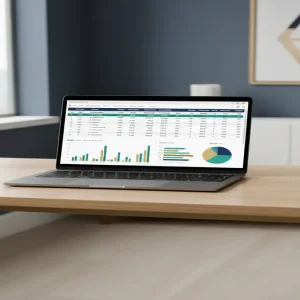
At its core, this business model involves creating specialized Google Sheets templates that function like mini-software applications. We aren’t talking about a simple list of names and numbers. We are talking about automated, visually stunning dashboards that use conditional formatting, Apps Script, and data validation to provide real-time insights. These templates are sold as digital downloads on marketplaces like Etsy, Gumroad, or even through direct outreach to industry-specific communities.
Think about a local landscaping business owner. They might be great at cutting grass but terrible at tracking their fuel costs, labor hours, and client retention. A custom-built ‘GreenProfit Dashboard’ that automates these calculations is worth hundreds of dollars to them because it saves them hours of manual entry and prevents thousands of dollars in lost revenue. You aren’t selling a file; you are selling clarity and time.
Why This Method Beats Traditional SaaS
Zero Recurring Overhead
Unlike traditional software-as-a-service (SaaS) businesses, you don’t have to pay for servers, developers, or expensive maintenance. Google hosts the infrastructure for free. Your only ‘cost’ is the time it takes to build the initial template. Once it’s finished, your profit margin on every sale is nearly 100%.
The End of Subscription Fatigue
Consumers and small business owners are suffering from subscription fatigue. They are tired of seeing $29, $49, and $99 leaving their bank accounts every month. A Google Sheets template is usually a one-time purchase. This makes the ‘yes’ much easier for your customer, as they know they own the tool for life without any hidden fees.
Extreme Customizability
When someone buys a rigid software tool, they are stuck with the features the developer chose. With a Google Sheet, the buyer can still tweak the colors, add their own rows, or adjust formulas if they have the skill. This flexibility is a massive selling point for businesses with unique workflows that don’t fit into a standard ‘box’ software.
How to Build Your Spreadsheet Empire in 5 Steps
Step 1: Identify a ‘Data-Heavy’ Niche
Don’t make a ‘Budget Planner’—the market is flooded with them. Instead, look for niches with specific data pain points. Look at Airbnb hosts who need to track cleaning schedules and occupancy rates across multiple platforms. Look at Etsy sellers who need to calculate their exact profit after shipping, taxes, and marketplace fees. The more specific the niche, the higher the price you can charge.
Step 2: Design for User Experience (UX)
The biggest mistake beginners make is making their sheets look like… well, sheets. To charge premium prices, your template must look like a professional app. Use ‘Skins’ by hiding gridlines, using custom color palettes (cool grays, deep blues, and vibrant accents), and creating a navigation menu with clickable links. If it looks like a spreadsheet, it’s worth $10. If it looks like a dashboard, it’s worth $150.
Step 3: Automate the Heavy Lifting
Utilize advanced functions like QUERY, VLOOKUP, and IFERROR to ensure the user has to do as little work as possible. If you want to go a step further, use Google Apps Script (a simple JavaScript-based language) to create buttons that generate PDF reports or send automated email reminders. This ‘magic’ is what turns a simple document into a high-value tool.
Step 4: Create a ‘Loom’ Onboarding Library
Value is perceived through ease of use. Include a ‘Start Here’ tab in your sheet that links to 3-5 short Loom videos showing exactly how to use the dashboard. This reduces customer support queries and increases your five-star reviews. When a customer feels supported, they become a repeat buyer for your next tool.
Step 5: Choose Your Distribution Engine
Start by listing your product on Etsy using high-quality mockups that show the dashboard on a laptop screen. Use SEO-rich titles like ‘Airbnb Profit Tracker for Multi-Property Hosts.’ Once you have some traction, move to Gumroad and use social media (especially Pinterest and LinkedIn) to drive traffic directly to your checkout page, avoiding marketplace fees.
Realistic Earnings and Timelines
Let’s talk numbers. A high-quality, niche-specific Google Sheets dashboard typically sells for between $35 and $150. If you target B2B (Business to Business) niches, you can easily charge $250+ for a comprehensive system. If you sell a $50 template and move just three units a day, you are looking at $4,500 a month in passive income. Most creators see their first sale within 14 days of listing on a marketplace like Etsy, provided their SEO is on point. Within 90 days, with a portfolio of 5-10 specialized sheets, reaching the $5,000 mark is a very realistic milestone.
Your Essential Toolkit
- Google Sheets: Your primary development environment (Free).
- Canva: For creating professional listing images and PDF instructions.
- Loom: For recording video tutorials for your customers.
- Gumroad or Etsy: Your storefront and payment processor.
- Coolors.co: To find professional color palettes that make your sheets look like high-end software.
Common Mistakes to Avoid
Overcomplicating the Interface
Your customer isn’t a data scientist. If they open your sheet and see 50 tabs and a thousand empty cells, they will feel overwhelmed and ask for a refund. Keep the data entry simple and the ‘Results’ page beautiful. Use protected ranges to ensure they don’t accidentally break your formulas.
Ignoring Mobile Users
Many business owners check their data on the go. While Google Sheets is primarily a desktop tool, ensure your main dashboard view is ‘mobile-friendly’ by keeping the most important charts in the top-left corner and using large, readable fonts. Test your sheet on your phone before you ever list it for sale.
Failing to Protect Your Intellectual Property
While you can’t perfectly ‘lock’ a Google Sheet like a software EXE file, you can use ‘Protected Sheets and Ranges’ to prevent users from seeing or editing your complex backend formulas. This keeps your ‘secret sauce’ safe and prevents accidental breakage that leads to support headaches.
The Path Forward
The era of generic digital products is over, but the era of the ‘Micro-Solution’ is just beginning. Every day, thousands of new businesses start, and every single one of them has a data problem waiting for a solution. You don’t need to be a genius; you just need to be the person who organizes the chaos. Your next step is simple: identify one niche community you understand and spend this weekend building a dashboard that solves their biggest headache. That single sheet could be the first brick in your $5,000 monthly empire.