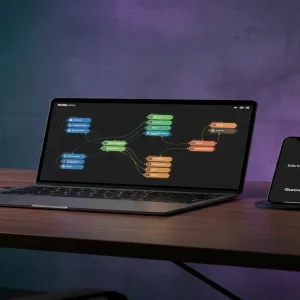
The End of the $5 Habit Tracker Era
Did you know that while thousands of creators are struggling to sell $5 habit trackers on Etsy, a small group of ‘Digital Architects’ is quietly pulling in $6,000 a month by building specialized ‘Industry Operating Systems’? Here is the cold, hard truth: the market for generic productivity tools is dead, but the hunger for vertical-specific workflow solutions has never been higher. If you can solve a specific professional’s daily chaos using a tool like Notion, you aren’t just selling a template; you’re selling them back their time, and they will pay a premium for it.
📹 Watch the video above to learn more!
The shift from ‘generalist’ to ‘specialist’ is where the real money is hiding in 2024. Most people think earning online requires a massive following or a complex software product. However, by leveraging the ‘Industry OS’ model, you can build a high-ticket digital asset once and sell it to a hungry niche forever. Let’s look at how you can stop competing for pennies and start building digital real estate that actually pays the bills.
What Exactly is a Specialized Industry OS?
An Industry OS (Operating System) is a comprehensive, relational database system built within Notion that manages the entire workflow of a specific profession. It’s not just a ‘page’ with some checkboxes. It is a sophisticated engine that connects clients, projects, finances, and tasks into one seamless dashboard. Think of it as ‘Vertical SaaS’ without the need to write a single line of code.
Moving Beyond Simple Templates
Unlike a basic template, an Industry OS uses advanced features like ‘Relations’ and ‘Rollups’ to ensure data flows automatically. For example, when a Real Estate Agent enters a new listing, it should automatically update their commission tracker, trigger a marketing checklist, and populate a client portal. This level of automation is what transforms a simple document into a high-value business tool.
The Power of Verticalization
When you build for everyone, you build for no one. A ‘Project Manager’ template might sell for $19. But a ‘Commercial Interior Design Project Manager’ that includes specific procurement trackers, fabric library databases, and vendor lead times? That is a $150 to $250 product. You are moving from the ‘commodity’ category into the ‘specialized solution’ category.
Why Professionals Are Desperate for Your Help
The best part about this business model is that you’re solving a ‘bleeding neck’ problem. Professionals in niches like law, architecture, or specialized consulting are often overwhelmed by fragmented tools. They use Excel for one thing, Trello for another, and sticky notes for the rest. They are desperate for a single source of truth.
High Perceived Value vs. Low Overhead
Because your product solves a professional problem, the ROI for the customer is clear. If your $150 system saves a consultant five hours a week, it pays for itself in the first seven days. For you, the overhead is nearly zero. Once the system is built, every sale is 95% profit after platform fees. It’s the ultimate scalable digital product.
Authority Building Through Curation
By building these systems, you position yourself as an expert in that niche’s workflow. You aren’t just a ‘Notion guy’; you are the person who understands how a Boutique PR Agency operates. This often leads to high-ticket consulting opportunities that can dwarf the template sales themselves. You’re building an ecosystem, not just a shop.
How to Build Your First Industry OS in 5 Steps
-
Identify a ‘Messy’ High-Income Niche
Look for industries where the professionals earn at least $80k+ per year but still rely on outdated systems. Think of Property Managers, Yacht Brokers, Speech Therapists, or Solar Sales Teams. These are niches with specific data-tracking needs that generic tools ignore.
-
Map the Workflow Architecture
Before touching Notion, grab a piece of paper. Map out every stage of their business process. What happens when a lead comes in? What documents do they need? What metrics do they track monthly? You need to understand their ‘Day in the Life’ better than they do.
-
Build the Relational Engine
Open Notion and start with the databases first, not the aesthetic. Create your Master Databases (Clients, Projects, Tasks, Finance) and link them using ‘Relations.’ Ensure that when you update a task, it reflects in the client’s total project progress. This ‘interconnectedness’ is your unique selling proposition.
-
Record the ‘Loom’ Onboarding Series
A high-ticket OS requires a high-ticket experience. Use Loom to record a series of short, 2-minute videos explaining how to use each section. Embed these videos directly into the Notion workspace. This reduces support tickets and increases the perceived value of the product significantly.
-
Launch on Specialized Marketplaces
Don’t just post on your personal Twitter. List your product on Gumroad or LemonSqueezy for payment processing, and then list it on Notionery or Prototion. More importantly, go where your niche hangs out—LinkedIn groups, specialized Slack communities, or industry forums.
The Realistic Math of a $6,000 Month
Let’s break down the numbers so you can see how achievable this is. Unlike a $5 product that requires 1,200 sales to hit $6k, a specialized Industry OS changes the math entirely. If you price your comprehensive system at $149 (a bargain for a business tool), you only need 41 sales in a month to hit $6,109. That is roughly 1.3 sales per day. With a targeted LinkedIn strategy or a few well-placed guest posts in niche newsletters, 40 sales a month is not just possible—it’s conservative.
Timeline to Your First Dollar
Typically, it takes about 10-14 days to research and build a robust Industry OS. Spend another 3 days on marketing assets (screenshots and videos). If you launch to a warm community or use targeted outreach, it’s common to see your first sale within 48 hours of going live. This isn’t a ‘wait six months for SEO’ play; it’s a direct-to-market solution.
Essential Tools for Digital Architects
- Notion: The core platform for building your product.
- Gumroad / LemonSqueezy: For secure checkout and automatic file delivery.
- Loom: For creating the essential video walkthroughs.
- Canva: To design professional-grade cover images and marketplace thumbnails.
- Tally.so: To collect feedback from your beta testers and improve the system.
Common Pitfalls That Kill Profit
Over-Engineering the Aesthetics
Professionals don’t care about ‘cute’ icons or ‘aesthetic’ widgets. They care about utility. If your system is too cluttered with decorations, it becomes harder to use. Focus on clean, functional layouts that look professional on a 27-inch monitor.
Ignoring the Mobile Experience
Many of your users will be on the go (especially in niches like Real Estate). If your Notion database has 20 columns and looks like a mess on a smartphone, they will ask for a refund. Always optimize your ‘Active Tasks’ views for mobile users.
Failing to Protect Your Work
While you can’t ‘lock’ a Notion template perfectly, you should include a clear Terms of Service. Use a tool like ProtectNotion or simply ensure your onboarding videos emphasize that the license is for a single user/team. Most professionals are happy to pay for the value they receive.
Your Next Move
The most successful creators aren’t the ones with the most followers; they are the ones who solve the most expensive problems. Pick one industry today—just one—and research their three biggest daily frustrations. Your journey from $0 to $6,000 starts with a single relational database. Open a new Notion page right now and list five high-income niches you already understand.