Everyone is trying to build the next billion-dollar app. Meanwhile, smart creators are quietly getting rich selling grid lines.
Here is the brutal truth about online business: most people overcomplicate it. They think they need to learn Python, launch a complex dropshipping logistics chain, or become a charismatic video influencer to make real money.
📹 Watch the video above to learn more!
They are wrong.
While the masses are fighting for attention on TikTok, a small group of digital entrepreneurs is leveraging a tool you probably already use for free: Google Sheets. I’m not talking about basic monthly budgets. I’m talking about high-value, problem-solving dashboards that businesses and individuals are desperate to buy.
This isn’t just about selling data; it’s about selling clarity. And the best part? You build it once, and it sells forever.
What Is The “Micro-SaaS” Spreadsheet Model?
Think of this as software-as-a-service (SaaS), but without the coding, the bugs, or the monthly server costs. You are essentially creating a digital tool that solves a specific, painful problem for a specific group of people.
Instead of hiring a developer for $5,000 to build a custom inventory tracker, a small business owner would happily pay you $35 for a pre-made, automated Google Sheet that does the exact same thing instantly.
You aren’t selling a spreadsheet; you are selling a solution. You are selling the 10 hours of frustration they would have spent trying to figure out formulas on their own.
Why This Works Better Than Other Digital Products
Unlike eBooks (which people rarely finish) or courses (which require constant updating), templates are tools. They provide immediate utility. Here is why this model is superior:
- Zero Inventory Cost: You create the file once. You can sell it one million times.
- High Perceived Value: A well-designed dashboard feels like expensive software.
- Viral Loop Potential: People use these sheets daily. If it works, they tell their colleagues.
- Platform Agnostic: You can sell on Etsy, Gumroad, your own site, or specialized marketplaces.
How to Build Your Spreadsheet Empire (Step-by-Step)
Ready to stop trading time for money? Here is the exact roadmap to your first sale.
1. Hunt for the “Expensive” Pain
Do not create a “General Monthly Budget.” That market is saturated. You need to go niche. Look for industries or hobbies where people manage data but hate doing it.
Examples of winning niches:
- Airbnb Hosts: A sheet that calculates cleaning fees, occupancy rates, and profit margins per property.
- Wedding Photographers: A CRM tracker for client inquiries, deposits, and shoot dates.
- Construction Contractors: A material cost estimator and bid generator.
2. Build the “Software” Experience
Your spreadsheet needs to look like an app. This means:
- Removing the gridlines (View > Show > Gridlines > Uncheck).
- Using a consistent color palette (stick to 3 main colors).
- Adding navigation buttons (using the “Insert Drawing” feature linked to scripts or specific cells).
- Creating a “Start Here” tab with clear instructions.
Pro Tip: Use conditional formatting to make cells change color automatically (e.g., turning green when a project is marked “Complete”). This gives the user that dopamine hit of productivity.
3. The Listing Strategy
You need to list your product where people are already looking for solutions. Etsy is currently the gold mine for this, but Gumroad is better for social media traffic.
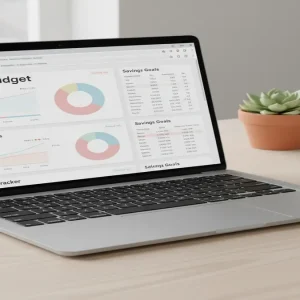
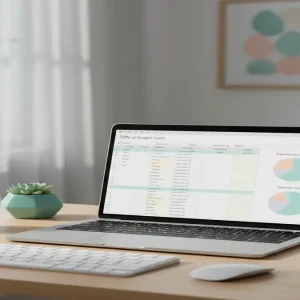
Your product images must be stunning. Do not just screenshot the grid. Use Canva to create “mockups” showing your spreadsheet on a laptop screen and an iPad. Make it look professional and sleek.
4. SEO is Your Best Friend
You aren’t writing a blog post; you’re writing a product label. Use keywords that describe the result.
Instead of “Fitness Tracker,” use: “Weight Lifting Progressive Overload Tracker for Powerlifters.” The more specific you are, the higher your conversion rate will be.
Realistic Earnings: What Can You Actually Make?
Let’s break down the math, because this is where it gets exciting. This is a volume game with high margins.
The Price Point: Most high-quality templates sell for between $15 and $45.
The Ramp Up:
- Months 1-3: You create 5-10 different templates. Sales are slow ($50 – $200/month).
- Months 4-6: One template starts to rank in search. You optimize it. ($500 – $1,000/month).
- Year 1: You have a portfolio of 20 products. Two are best-sellers. ($2,500 – $4,500/month).
I know creators making upwards of $10,000 a month purely selling spreadsheets for project management. The ceiling is incredibly high if you bundle products together.
Required Toolkit (Keep It Simple)
You don’t need expensive software to start. Here is your lean stack:
- Google Sheets (Free): The product creation tool.
- Canva (Free/Pro): Essential for creating listing images and instruction PDFs.
- Etsy or Gumroad: Your storefront. Etsy charges $0.20 per listing; Gumroad is free to start but takes a % of sales.
- eRank or Marmalead: Keyword research tools specifically for Etsy (optional but recommended).
- Loom (Free): Record a 30-second video of you using the sheet to put in your listing. This skyrockets trust.
Common Mistakes That Kill Sales
I see beginners fail for three specific reasons. Avoid these traps:
1. Breaking the Formulas
Always protect your formula cells. In Google Sheets, you can “Protect Range” so buyers can only edit the input fields, not the calculation fields. If a customer breaks the sheet, they will demand a refund.
2. Ignoring Mobile Users
While spreadsheets are best on desktop, people will check them on phones. Ensure your text is legible and your main dashboard doesn’t require endless horizontal scrolling.
3. The “Ugly” Factor
Functionality matters, but aesthetics sell. If your sheet looks like a default Excel file from 1998, nobody will pay for it. Invest time in learning basic UI design principles.
Conclusion: Your Digital Asset Awaits
The digital economy is shifting. People are tired of subscriptions. They want to own their tools. By creating a high-quality, automated spreadsheet, you are providing a permanent solution to a recurring problem.
You have the skills. You have access to the software. The only thing missing is the asset.
Your Next Step: Open Google Sheets right now. Write down three problems you solved for yourself or your job in the last year using data. Pick the most painful one, and start building your prototype tonight.