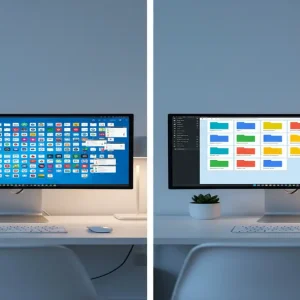
The Unsexy Goldmine You Are Likely Overlooking
While everyone else is busy chasing the latest crypto pump or trying to go viral on TikTok, a quiet group of creators is building five-figure empires using nothing but ‘boring’ Google Sheets. It sounds almost too simple to be true, but I recently discovered that a single, well-designed automated spreadsheet can generate more consistent passive income than a fleet of dropshipping stores. Here is the reality: small business owners are drowning in data and they are desperately looking for a way to track their operations without paying $100 a month for a complex SaaS subscription. By providing a one-time purchase solution, you are not just selling a file; you are selling time, clarity, and peace of mind.
📹 Watch the video above to learn more!
Have you ever looked at a messy Excel file and thought, ‘There has to be a better way to organize this’? If so, you are sitting on a goldmine. The ‘Spreadsheet Economy’ is a burgeoning niche where creators build specialized, automated templates for specific industries. Whether it is a lead tracker for real estate agents or an inventory management system for Etsy sellers, these tools solve high-pain problems for a fraction of the cost of professional software. The best part? You build it once, and it sells forever while you sleep.
What is the Automated Spreadsheet Economy?
At its core, this method involves identifying a specific business process that is currently being handled poorly with pen and paper or manual data entry. You then build a Google Sheet or Excel template that automates the ‘heavy lifting’ using built-in formulas or simple Apps Script. Unlike a standard spreadsheet, an automated template uses conditional formatting, data validation, and automated reporting dashboards to give the user a ‘software-like’ experience. You are essentially building ‘Micro-SaaS’ products without writing a single line of traditional code.
The beauty of this model lies in its simplicity for the end user. When a customer buys your template, they receive a PDF with a link to ‘Make a Copy’ of your master sheet. Within seconds, they have a fully functioning business tool customized to their needs. There is no software to install, no monthly fees for them to track, and no complex onboarding. It is the ultimate ‘plug-and-play’ digital product for the modern entrepreneur.
Why Solopreneurs Crave These Templates Over Traditional Software
No Recurring Monthly Subscriptions
Subscription fatigue is real. Most small business owners are tired of being ‘nickel and dimed’ by every tool they use. When you offer a high-quality spreadsheet for a one-time fee of $35 to $65, it becomes an easy ‘yes’ for someone who doesn’t want another $20/month commitment. You are offering a permanent solution for the price of a few lattes.
High Perceived Value and Instant ROI
A well-designed spreadsheet provides immediate value. The moment a user enters their data and sees a beautiful, automated chart pop up, they feel the return on their investment. This instant gratification leads to five-star reviews, which are the lifeblood of platforms like Etsy and Gumroad. Because these tools solve specific financial or operational problems, customers view them as investments rather than expenses.
Complete Customization and Ownership
Unlike rigid software, a spreadsheet allows the user to tweak things if they really want to. They own the data and the tool. In an era where data privacy is a major concern, keeping business information within a private Google Drive account is a significant selling point that many creators forget to mention in their marketing.
Your 5-Step Blueprint to Launching a Spreadsheet Empire
Step 1: Identify a ‘Messy’ Niche Pain Point
Don’t try to make a generic ‘Budget Tracker.’ The market is flooded with those. Instead, go deep. Look for niches like ‘HVAC Equipment Maintenance Log,’ ‘Airbnb Cleaning Schedule & Payroll,’ or ‘Social Media Content Calendar for Interior Designers.’ Use keyword research tools or browse Reddit forums to see what professional groups are complaining about regarding their daily organization. Your goal is to find a specific workflow that is currently manual and tedious.
Step 2: Build the Logic Engine
Start building your template in Google Sheets. Focus on the ‘Logic Engine’ first—the formulas that do the work. Use VLOOKUP, QUERY, and ARRAYFORMULA to ensure that when a user enters data in one tab, it automatically populates the others. If you want to get fancy, use Google Apps Script (which you can ask ChatGPT to write for you) to add buttons that generate PDFs or send automated email reminders. This ‘magic’ is what separates a $10 template from a $50 one.
Step 3: The ‘UX’ Overhaul for Professionalism
Nobody wants to buy a spreadsheet that looks like a tax form. Spend time on the aesthetics. Use a consistent color palette, hide gridlines, and use custom fonts for headers. Create a dedicated ‘Dashboard’ tab with clean charts and big, bold numbers. This is the ‘wow factor’ that sells the product. If it looks like professional software, you can charge professional prices.
Step 4: Create the Delivery System
You cannot just send a link to your sheet. You need a delivery system. Create a beautiful PDF ‘Welcome Guide’ that includes the link to the template, a ‘How-to’ video (recorded using Loom), and your contact information for support. This makes the purchase feel like a premium experience. When the customer clicks the link, ensure it has the ‘/copy’ suffix at the end of the URL to force them to create their own private version.
Step 5: Optimize Your Digital Storefront
List your product on Etsy and Gumroad. For Etsy, focus heavily on SEO by using all 13 tags and including keywords like ‘automated,’ ‘business tracker,’ and your specific niche. Your primary listing image should show the ‘Dashboard’ view on a laptop screen to prove it is a high-quality digital tool. High-quality visuals are non-negotiable here; they are the only way to convey the value of a digital file.
The Math of Passive Spreadsheets: Realistic Earnings
Let’s talk numbers because that is why you are here. A successful niche template typically sells for between $35 and $55. If you capture a specific niche, you can realistically expect 2 to 4 sales per day once your SEO kicks in. At a $45 price point, 3 sales a day equals $135 daily, or roughly $4,050 per month. The initial investment is $0, as Google Sheets is free to use. Your only ‘cost’ is the time spent building the first version, which usually takes 10-15 hours. Once it is live, the maintenance is nearly zero, making this one of the purest forms of passive income available today.
Essential Tools for Your Spreadsheet Business
- Google Sheets: Your primary development platform (Free).
- Loom: For creating 5-minute video tutorials for your customers (Free/Paid).
- Canva: To design your Etsy listing images and your PDF Welcome Guide (Free).
- ChatGPT: To help you write complex formulas or Google Apps Script code (Free).
- Etsy or Gumroad: Your marketplace for reaching customers and processing payments.
Common Mistakes to Avoid
First, do not overcomplicate the user interface. If a user has to read a 50-page manual to use your sheet, they will ask for a refund. Keep the input areas clear and the output areas automated. Second, never forget to test your sheet with ‘dummy data’ to ensure the formulas don’t break when someone enters an unexpected value. Third, avoid being too generic; ‘Financial Tracker’ is a dead end, but ‘Profit Tracker for Candle Makers’ is a specific solution people will pay for. Finally, don’t ignore mobile users. While most will use these on a desktop, ensuring the dashboard looks decent on the Google Sheets mobile app is a major competitive advantage.
The transition from a ‘worker’ to a ‘creator’ happens the moment you realize that your skills can be packaged into a scalable asset. You don’t need to be a coding genius to build a software-style business. You just need to find a problem that can be solved with a few clever formulas and a clean interface. Are you ready to turn your ‘boring’ spreadsheet skills into a monthly paycheck? Your first step is to open a blank sheet and start mapping out a solution for a niche you understand. The market is waiting for your solution.