The Hidden Goldmine in “Boring” Business Operations
Did you know that a local landscaping company or a boutique interior design firm is likely losing over $1,000 every single month simply because they are tracking their high-value clients on sticky notes and fragmented Excel sheets? You do not need to be a software engineer to solve this multi-billion dollar problem; you just need to become what I call a “No-Code Architect.” While everyone else is fighting for pennies in the crowded world of generic freelance writing, a quiet group of creators is making thousands by building “Operating Systems” for micro-niches using nothing but Airtable.
📹 Watch the video above to learn more!
It is a bold claim, but the data backs it up: small businesses are drowning in data but starving for organization. When you provide a custom-built digital infrastructure that manages their leads, projects, and inventory in one place, you aren’t just selling a template. You are selling them back their time, and that is a product that carries a premium price tag. Let me show you how to turn a free database tool into a high-margin digital product factory.
What exactly is an Airtable Operating System?
At its core, an Airtable OS is a highly customized, relational database designed to handle the specific lifecycle of a very specific type of business. Forget generic project management tools that try to please everyone but serve no one. An Airtable OS for a vintage watch dealer, for example, would include specific fields for serial numbers, movement types, and acquisition costs, all linked to a sales gallery and an automated invoice generator.
The beauty of this method is that it sits perfectly between a simple spreadsheet and a $50,000 custom software build. It gives the user the power of a database with the ease of a drag-and-drop interface. You aren’t coding; you are architecting logic. You are building the “brain” of a business, and once that brain is built, it becomes an essential asset that the business owner cannot live without.
More Than Just a Spreadsheet
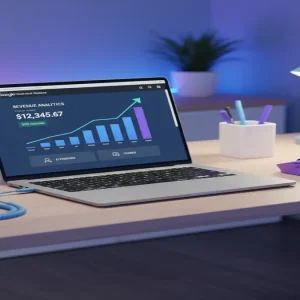
Airtable allows you to create “Interfaces,” which are professional-looking dashboards that hide the scary rows and columns. This means your client sees a sleek, branded portal where they can click buttons to move projects through a pipeline. When you sell an Airtable OS, you are selling a professional software experience without the overhead of maintaining actual code.
Why This Beats Traditional Freelancing Every Time
The biggest problem with freelancing is the “Time for Money” trap. If you don’t work, you don’t get paid. However, the Airtable OS model shifts you into the world of digital products. Once you have built a world-class system for one wedding photographer, you have effectively built it for every wedding photographer in the world.
The best part? You can sell the exact same framework over and over again with minimal tweaks. This turns your labor into a scalable asset. While a writer has to write a new article for every client, you simply duplicate your base, record a five-minute personalized Loom video, and collect your fee. It is the ultimate bridge between service work and passive income.
High Perceived Value, Low Maintenance
Because these systems solve deep operational pain points, the perceived value is incredibly high. A business owner sees a tool that saves them five hours of admin work a week. To them, paying $450 once is a bargain compared to hiring a part-time assistant. For you, it is a high-profit margin sale with zero shipping costs and no physical inventory to manage.
Your 5-Step Roadmap to the First $1,000
If you are ready to start, you don’t need a degree in computer science. You just need a logical mind and a willingness to learn how data relates to other data. Here is the exact path to follow.
Step 1: Hunting for “Messy” Micro-Niches
Avoid broad categories like “Marketing.” Instead, look for niches with physical assets or complex timelines. Think about boutique gym owners, independent publishers, or specialized construction contractors. These people have dozens of moving parts to track and usually have some budget to spend on efficiency. Your goal is to find a niche where people are currently using “Frankenstein” systems—a mix of Paper, Email, and Excel.
Step 2: The Workflow Extraction Phase
Before you build anything, you must understand the “Life of a Lead” in that niche. How do they get a customer? What happens next? When do they get paid? Map this out on a piece of paper. If you can visualize the flow from “Inquiry” to “Paid Invoice,” you can build the database. This phase ensures your product actually solves a real-world problem rather than just looking pretty.
Step 3: Architecting the Solution in Airtable
Now, open a free Airtable account. Create tables for the main entities: Clients, Projects, Tasks, and Finances. Use “Linked Records” to connect them. This is the magic step. When a client name is updated in the Client table, it should automatically update across every project linked to them. Add a few simple “Automations”—like an automatic email notification when a project status changes to “Completed.”
Step 4: Productizing the Experience
Don’t just send a link to the base. Use Airtable’s Interface Designer to create a “Manager Dashboard.” This makes your product look like a custom app. Create a simple onboarding guide using a tool like Loom. Show them how to add their first client and how to view their monthly revenue. This professional packaging is what allows you to charge $450 instead of $45.
Step 5: Strategic Distribution
You don’t need a massive following. Go where your niche hangs out. If you built a system for specialized bakeries, join bakery owner groups on Facebook or Reddit. Share a screenshot of your dashboard and ask, “Would this help anyone here save time on order tracking?” The leads will come to you because you are offering a specific solution to a specific headache they feel every day.
The Math: What You Can Actually Charge
For a standard, niche-specific Airtable OS, a price point of $299 to $599 is the sweet spot. If you sell just three of these a month, you are looking at over $1,000 in revenue. Many creators eventually transition into “Implementation Sprints,” where they charge $1,500 to $3,000 to customize the system for a specific company over a weekend. The ceiling is remarkably high because you are selling efficiency, not just software.
The “No-Code” Tech Stack
- Airtable: The engine where you build the database and interfaces.
- Gumroad: To host your template link and process payments securely.
- Loom: To record the “How-To” videos that make your product user-friendly.
- Softr: (Optional) If you want to turn your Airtable base into a full-blown web app or client portal.
Trapdoors to Avoid
- Over-Engineering: Don’t add 50 features they won’t use. Start with the 3 most painful problems they face.
- Ignoring Mobile: Ensure your interface looks decent on a tablet, as many small business owners work on the go.
- Vague Marketing: Never say “I sell Airtable templates.” Always say “I help Interior Designers manage their furniture procurement without the stress.”
Your Next Move
The transition from a consumer to a creator happens the moment you stop looking for jobs and start looking for problems to solve. Your next step is simple: Pick one niche today—just one—and spend two hours mapping out their biggest workflow headache. Once you see the pattern, the profit follows. Build your first base this weekend.