Why Your Spreadsheets Are Actually Unclaimed Digital Real Estate
Most digital entrepreneurs are fighting for pennies in the crowded world of $10 ebooks while a massive gap in the market goes completely unnoticed. Did you know that specialized business owners, from boutique floral designers to independent property managers, are currently paying upwards of $500 for a single, well-organized Airtable database? While everyone else is trying to go viral on TikTok, savvy creators are building ‘Micro-SaaS’ solutions using nothing but no-code database logic to solve expensive operational headaches. It’s not about selling information anymore; it’s about selling the infrastructure that makes a business actually function.
📹 Watch the video above to learn more!
What Exactly is the Airtable Arbitrage?
The Airtable Arbitrage is the process of identifying a specific, messy business workflow and translating it into a high-functioning, automated system within Airtable. Think of it as ‘Database-as-a-Product.’ You aren’t just giving someone a place to store data; you’re building a custom engine that tracks inventory, manages client intake, and automates follow-ups. Unlike a traditional SaaS (Software as a Service), you don’t need to write a single line of Python or Javascript. You are leveraging Airtable’s relational database power to create a tool that feels like custom software but can be built in a weekend.
The ‘arbitrage’ happens when you take your specialized knowledge of a niche—say, how a podcast production house runs—and package it into a template that saves them 10 hours a week. To that business owner, your $400 template is a bargain compared to hiring a developer for $5,000. You are essentially bridging the gap between complex software and the simple, yet often insufficient, Google Sheet. It’s the sweet spot of the modern creator economy.
Why High-Ticket Systems Outperform Low-Cost Downloads
Why would someone pay $500 for an Airtable base when they can get a ‘Productivity Planner’ for $15 on Etsy? The answer lies in the Return on Investment (ROI). A planner is a lifestyle purchase; a business system is a revenue-protecting asset. When you sell to businesses (B2B), your product is a tax-deductible investment that solves a specific pain point like ‘losing track of leads’ or ‘inventory shrinkage.’ This allows you to command premium pricing that most digital product sellers can only dream of.
Furthermore, these systems are ‘sticky.’ Once a business integrates your Airtable system into their daily operations, they aren’t going to switch easily. This creates opportunities for high-ticket consulting upsells or monthly maintenance retainers. You aren’t just a vendor; you become the architect of their efficiency. The best part? You only have to build the core logic once, and then you can duplicate it for every new customer with a single click.
How to Build Your First Profitable System
1. Identify a ‘Messy’ Micro-Niche
Don’t try to build a ‘General Task Manager.’ Instead, look for industries with specific, non-linear workflows. Think about wedding planners, solar panel installers, or vintage clothing resellers. These businesses have unique data points (like venue dimensions or garment measurements) that generic software ignores. Spend a few hours in niche Facebook groups or Reddit threads to see what these people are complaining about regarding their current ‘paper and pen’ or ‘spreadsheet’ methods.
2. Map the Workflow Logic
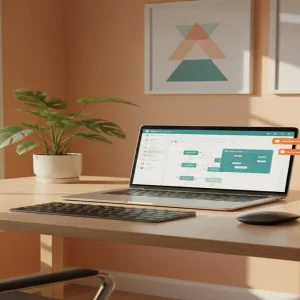
Before touching Airtable, grab a piece of paper and map out how data moves through the business. What happens when a new lead emails them? Where does that data go? What triggers the next step? Your goal is to mirror their real-world process in a digital environment. If you can visualize the ‘flow’ from lead to payment, you’ve already done 70% of the hard work.
3. Build the MVP (Minimum Viable Product)
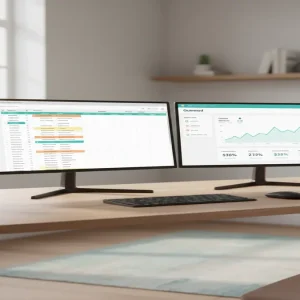
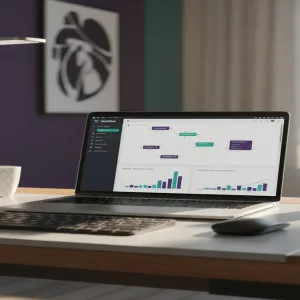
Open Airtable and start building the ‘Bases.’ Use linked records to connect different tables—for example, linking a ‘Clients’ table to a ‘Projects’ table and an ‘Invoices’ table. This relational aspect is what makes your product valuable. Add ‘Automations’ within Airtable to send internal notifications or update statuses automatically. Keep the interface clean and use color-coded ‘Views’ to make the data look digestible and professional.
4. Create the ‘Success Documentation’
A high-ticket customer won’t buy if they’re afraid they can’t use the tool. Use a tool like Loom to record a 10-minute walkthrough of the system. Explain exactly how to input data and how to read the dashboards. This video is part of the product. It reduces your support tickets and increases the perceived value of the package significantly.
5. Choose Your Distribution Channel
You can list your templates on marketplaces like Gumroad or the Airtable Universe, but the real money is in direct outreach or niche-specific platforms. If you’ve built a system for gym owners, go where gym owners hang out. Offer a ‘Beta’ version to one influencer in that niche for free in exchange for a video testimonial. Once you have that social proof, you can start charging $300-$600 per license.
Realistic Earnings and Timelines
Here is the reality of the numbers: Your first system will likely take you 15-20 hours to build and refine. However, once the template is perfected, your ‘cost of goods sold’ is zero. If you price your system at $350 and sell just two per week, you’re looking at $2,800 a month in nearly passive income. Experienced creators in this space often scale to $6,000+ per month by offering ‘System Audits’ alongside their templates. You can realistically expect your first sale within 14 to 30 days if you focus on a specific, underserved niche.
Your Essential Toolkit
- Airtable: The core platform (The Pro plan is recommended for advanced automations).
- Loom: For creating video tutorials and ‘how-to’ guides.
- Gumroad: To handle the checkout process and secure file delivery.
- Canva: For creating professional-looking thumbnails and PDF manuals.
- Softr: (Optional) If you want to turn your Airtable base into a client-facing web portal.
Common Pitfalls to Avoid
- Feature Creep: Don’t try to make the system do everything. If it solves one major problem perfectly, it’s worth the price.
- Ignoring Mobile: Many business owners check their data on the go. Ensure your Airtable views are optimized for the mobile app interface.
- Bad Data Hygiene: Ensure your template comes with ‘dummy data’ so the customer can see how it looks when it’s full, but make it easy for them to clear it out.
The Next Step Toward Your Micro-SaaS Empire
The transition from ‘freelancer’ to ‘product owner’ starts with a single specialized solution. Stop looking for the next viral trend and start looking for a business that is drowning in disorganized data. Your job is to be the person who brings the order. Your immediate next step: Pick one hobby or industry you know well and write down the three most annoying repetitive tasks they have to do every day. That list is your first product roadmap.