The Secret High-Margin Service Hiding in Plain Sight
Did you know that the average creative agency loses nearly 20% of its client base every year simply because of ‘communication friction’ and disorganized workflows? While most digital entrepreneurs are fighting over pennies in the crowded world of $20 Etsy templates, a quiet group of ‘Notion Architects’ is earning $500 to $1,500 per project by solving one specific, painful problem for business owners. They aren’t selling pretty layouts; they are selling the ‘Single Source of Truth’ that saves an agency owner’s sanity.
📹 Watch the video above to learn more!
If you’ve ever used Notion to organize your own life, you already possess 80% of the skills needed to build this high-ticket service. The remaining 20% is simply understanding how to package your knowledge into a professional Client Portal. Here’s the thing: businesses don’t want to learn how to use Notion—they want a system that works out of the box so they can stop hunting through endless email threads for a single PDF attachment.
What Exactly is a Custom Notion Client Portal?
A Notion Client Portal is a centralized, private workspace where a service provider (like a marketing agency, web designer, or consultant) and their client collaborate. Think of it as a professional dashboard that houses everything from project timelines and deliverable folders to invoice tracking and feedback loops. It replaces the messy ‘back-and-forth’ of Slack and email with a structured, visual interface.
Instead of sending a client a Google Drive link, a Trello board link, and three different email chains, the agency sends one single Notion URL. This URL becomes the ‘home base’ for the entire relationship. For the agency, it looks professional and organized. For the client, it provides a sense of transparency and security that justifies a high service fee. You are the person who builds this bridge, and because it directly impacts their client retention, they are more than happy to pay a premium for it.
Why Agencies Are Desperate for This Solution
The best part about this business model is that you aren’t selling a ‘nice-to-have’ product. You are selling a solution to a logistical nightmare. Most agency owners are brilliant at their craft—be it SEO, video editing, or copywriting—but they are often terrible at project management. They feel overwhelmed by the administrative overhead of onboarding new clients and keeping them updated.
When you offer a custom-built portal, you are promising them three things: Time, Professionalism, and Scalability. You’re giving them back the five hours a week they spend answering ‘status update’ emails. You’re making their $5,000-a-month service look like a $50,000-a-month operation. Most importantly, you’re giving them a repeatable system they can use to onboard ten more clients without breaking their workflow. That is why a $500 setup fee is actually a bargain for them.
How to Build Your Notion Portal Business from Scratch
Step 1: Master the Relational Database
Before you charge your first dollar, you must move beyond basic checklists. You need to understand how to link a ‘Tasks’ database to a ‘Projects’ database and a ‘Deliverables’ database. This allows the client to see exactly how individual tasks contribute to the overall project deadline. Spend a weekend watching advanced Notion tutorials specifically focused on Relations and Rollups. This is the ‘secret sauce’ that makes a portal feel like a piece of custom software rather than just a document.
Step 2: Create Your ‘V1’ Master Framework
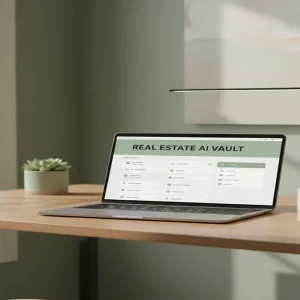
Don’t start from zero for every client. Build one high-quality, aesthetically pleasing ‘Master Portal’ that includes a welcome area, a project roadmap, a file vault, and a feedback gallery. Use a clean, minimalist aesthetic—think neutral colors and professional icons. This master framework will be the template you duplicate and customize for every new customer, allowing you to finish a ‘$500 project’ in less than three hours of actual work.
Step 3: Identify Your ‘Messy’ Target Market
Don’t try to sell to everyone. Focus on a specific niche like ‘Boutique SEO Agencies’ or ‘Independent Interior Designers.’ Go to LinkedIn or Twitter (X) and look for business owners who are complaining about being busy or overwhelmed. These are your prime candidates. When you see someone mention they are ‘drowning in emails,’ that is your cue to reach out with a solution, not a sales pitch.
Step 4: The ‘Loom Audit’ Outreach Strategy
Instead of a cold DM, use the Loom method. Record a 2-minute video showing your Master Portal. Say, ‘Hey [Name], I saw you’re scaling your agency! I noticed a lot of owners in your space struggle with client onboarding, so I built this Notion system to automate the process. Would this help clear up your inbox?’ This low-pressure, high-value approach has a much higher conversion rate than a standard sales script.
Step 5: Deliver and Upsell Maintenance
Once the client agrees, duplicate your template, customize it with their branding and logo, and hop on a 30-minute call to show them how to use it. To turn a one-time $500 fee into recurring income, offer a ‘Monthly Maintenance’ package for $100/month where you promise to update their databases, add new client pages, and provide tech support. This creates a predictable passive income stream alongside your project fees.
Realistic Earnings and Timelines
Let’s talk numbers. For a beginner, your first portal will likely take 10-15 hours to build as you learn the ropes. You should charge $300 for this first ‘beta’ project to get a testimonial. Once you have a proven template, you can easily charge $500 to $1,200 per setup. At two setups per week—which is very manageable part-time—you are looking at $4,000 to $8,000 per month in gross revenue. Most practitioners see their first dollar within 14 to 21 days of starting their outreach.
Essential Tools for Your New Business
- Notion: The core platform (Free or Plus plan recommended).
- Loom: For recording your pitch videos and client tutorials.
- Tally.so: To create beautiful intake forms that feed directly into Notion.
- Gumroad or Stripe: To handle your professional invoicing and payments.
- Canva: For creating custom-branded headers and icons for your clients.
Common Pitfalls to Avoid
- Over-Engineering: Don’t add 50 features the client doesn’t need. If the portal is too complex, they won’t use it, and you won’t get a referral.
- Ignoring Mobile: Business owners check things on the go. Ensure your databases look clean on the Notion mobile app.
- Selling Features, Not Benefits: Don’t tell them about ‘synchronized blocks.’ Tell them they will ‘save 10 hours a week on emails.’
Your Next Step to Freedom
The era of the ‘generalist freelancer’ is fading. The future belongs to those who can build specific systems for specific problems. You don’t need a computer science degree to build these systems; you just need to be one step ahead of the person you’re helping. Your next step is simple: Open a blank Notion page today and start building your own ‘Master Client Portal’ framework. Once you have a version you’re proud of, send your first Loom video. The agencies are waiting.