The Surprising Power of Software-as-a-Spreadsheet
Most people think digital products mean high-production video courses or 300-page eBooks, but the real money is hiding in ‘boring’ utility. I recently watched a creator generate over $4,500 in a single month by selling a single Google Sheet designed for Airbnb hosts—and they didn’t even have to film a single video or write a line of code. It’s a concept I call ‘Software-as-a-Spreadsheet,’ and it is currently one of the most overlooked opportunities in the digital economy.
📹 Watch the video above to learn more!
While the rest of the world is fighting for attention on TikTok, a quiet group of ‘Spreadsheet Entrepreneurs’ is solving massive business headaches with simple, automated grids. You don’t need to be a math genius or a data scientist to win here. You just need to know how to solve one specific problem for one specific group of people using the tools they already use every day.
What Exactly is a Premium Spreadsheet Business?
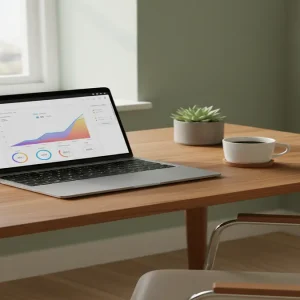
At its core, this business model involves creating and selling pre-formatted, automated Google Sheets templates that help users track, analyze, or manage a specific part of their lives or businesses. We aren’t talking about a basic list of names and numbers. These are dynamic tools equipped with conditional formatting, drop-down menus, and automated dashboards that visualize data into beautiful charts and graphs.
Think of it as ‘lite’ software. Small business owners often find professional SaaS (Software as a Service) platforms too expensive or too complex for their needs. They want something flexible, familiar, and affordable. That is where you come in. By packaging a solution into a Google Sheet, you provide a tool that is easy to use, requires no subscription, and lives directly in the user’s Google Drive. It’s the ultimate win-win for both the creator and the customer.
Why This Method Outperforms Traditional Digital Products
The best part about selling spreadsheets? The perceived value is significantly higher than a standard PDF or eBook. When someone buys an eBook, they are buying information they still have to implement. When someone buys a spreadsheet, they are buying a system that does the work for them. It feels like a tool, not a chore. This allows you to charge premium prices—anywhere from $25 to $97—for a file that took you a few days to build.
Furthermore, there is zero overhead. Unlike selling physical products, you have no inventory, no shipping costs, and no manufacturing delays. Unlike a course, you don’t need to worry about lighting, audio, or being on camera. Once the sheet is built, it is a truly passive asset. You can sell it 1,000 times without any additional effort. Because it’s hosted on Google’s infrastructure, you don’t even have to worry about your website crashing under high traffic.
How to Build Your Spreadsheet Empire in 5 Steps
Step 1: Identify a ‘Pain Point’ Niche
Success starts with specificity. Do not try to build a ‘General Budget Tracker.’ Instead, build a ‘Budget Tracker for Traveling Nurses’ or a ‘Profitability Calculator for Etsy Woodworkers.’ Look for niches where people are already using spreadsheets but are doing it poorly. Scour Reddit forums or Facebook groups for people asking, ‘How do I track my [X]?’ That is your signal to build a solution.
Step 2: Engineer the Logic Engine
Open a fresh Google Sheet and start building the functionality. Focus on the ‘Input’ versus ‘Output’ flow. You want your user to enter minimal data and receive maximum insights. Use formulas like SUMIFS, VLOOKUP, and QUERY to automate the heavy lifting. The goal is to make the user feel like the spreadsheet is ‘thinking’ for them. If you can automate a calculation that usually takes them an hour, you’ve just earned your sale.
Step 3: Beautify the User Interface (UI)
Here is the secret: People buy spreadsheets because they look professional. Use a cohesive color palette (sage greens, deep blues, or modern pastels) and hide the gridlines. Create a ‘Dashboard’ tab that features high-level charts and progress bars. Use checkboxes and drop-down menus to make the sheet feel interactive. A beautiful spreadsheet feels like an app, and people are willing to pay for that experience.
Step 4: Package with a ‘Make a Copy’ Link
You don’t send the customer your actual file. Instead, you provide them with a PDF ‘Welcome Guide’ that contains a special link. By adding ‘/copy’ to the end of your Google Sheet URL, the user is prompted to save a private version to their own Drive automatically. This protects your master template and ensures the customer has a clean slate to work with. It also allows you to include a few pages of instructions in the PDF to reduce customer support queries.
Step 5: Launch on Niche Marketplaces
While you can sell on your own site, platforms like Etsy and Gumroad are goldmines for spreadsheet sellers. Etsy already has millions of people searching for ‘business templates’ and ‘planners.’ By optimizing your listing with high-quality mockups—showing the dashboard on a laptop screen—you can tap into existing search traffic without spending a dime on ads. Within weeks, you can have a steady stream of passive sales coming in while you sleep.
Realistic Earnings and Timelines
Let’s talk numbers. A well-designed niche spreadsheet typically sells for $25 to $45. If you sell just three templates a day at $35, you are looking at over $3,100 per month in profit. Most beginners can expect to earn their first dollar within 14 to 21 days of listing their first product. As you build a library of 5-10 different templates, it is very realistic to scale to the $5,000+ monthly range. The initial time investment is roughly 10-20 hours per sheet, but once it’s done, the maintenance is nearly zero.
Essential Tools for Your Success
- Google Sheets: Your primary production environment (Free).
- Canva: For creating high-converting listing images and your instruction PDF.
- Loom: To record short ‘How-To’ videos to embed in your templates.
- Etsy or Gumroad: To host your digital files and process payments.
- Coolors.co: To find professional color palettes that make your sheets look modern.
Common Pitfalls to Avoid
The biggest mistake is over-complicating the sheet. If a user opens your file and feels overwhelmed, they won’t use it. Always include a ‘Start Here’ tab with clear, numbered steps. Secondly, don’t ignore mobile users. While most people edit spreadsheets on desktops, many like to view their dashboards on their phones. Ensure your charts are legible on smaller screens. Finally, don’t skip the marketing. Even the best spreadsheet needs a compelling thumbnail and a title that speaks directly to the user’s pain point.
Your Next Move
The era of the ‘boring’ spreadsheet is over; the era of the ‘profitable’ spreadsheet is here. You already have the tools you need sitting in your browser. Your only job now is to find one person with a data problem and solve it for them. Go to Etsy right now, search for your favorite hobby + ‘spreadsheet,’ and see what the competition looks like—your first $1,000 digital asset is waiting to be built.