The Era of the Website is Ending; The Era of the Digital Employee is Here
While everyone else is busy trying to figure out how to write a blog post with ChatGPT, a small group of savvy creators is quietly making $1,500 per sale by building Digital Employees for local businesses. Here is the reality: your local plumber, florist, or real estate agent doesn’t need another generic website that just sits there; they need a system that actually does the work for them. I recently watched a colleague transition from struggling freelancer to earning $4,500 a month by simply packaging AI personas as ‘staff members’ for overworked small business owners. It is the most overlooked digital goldmine of 2024 because it solves a painful problem: the lack of time.
📹 Watch the video above to learn more!
What Exactly is a Digital Employee?
When we talk about a Digital Employee, we aren’t talking about a physical robot. We are talking about a highly specialized, pre-configured AI persona—built on platforms like ChatGPT or Claude—that is hard-coded with industry-specific knowledge, brand voice, and operational procedures. It’s a ‘blueprint’ that a business owner can plug into their workflow to handle repetitive tasks that usually require a human brain.
Think of it as a ‘Lead Qualifying Assistant’ for a Realtor that knows exactly how to vet a buyer’s budget, preferred neighborhood, and urgency before the Realtor even picks up the phone. Or imagine a ‘Customer Success Bot’ for a boutique gym that handles all the common questions about membership tiers and class schedules with the exact tone of the gym’s brand. You aren’t selling software; you’re selling saved time and reduced payroll.
Why This Method is Currently Printing Money
The gap between what AI can do and what the average business owner knows how to do is massive. This is where you come in as the bridge. Most small business owners have heard of AI, but they find the interface intimidating or the results ‘too robotic.’ By creating a ‘Digital Employee’ package, you remove the friction of prompt engineering for them.
High Perceived Value
A website is seen as a cost, but an employee is seen as an investment. When you frame your product as a ‘Digital Front Desk Agent’ that works 24/7 for a one-time fee of $750, it sounds significantly cheaper than hiring a part-time assistant for $2,000 a month. The ROI is immediate and obvious to the client.
Low Competition
While the ‘AI Agency’ space is getting crowded with people offering generic ‘AI automation,’ very few people are specializing in niche-specific persona libraries. By focusing on one industry—like HVAC companies or Law Firms—you become the go-to expert in that micro-niche.
How to Build Your Digital Employee Agency in 5 Steps
- Pick One High-Value Niche: Don’t try to be everything to everyone. Choose an industry where the average customer value is high, such as Real Estate, Law, or Home Improvement. These businesses have the budget and the most to gain from automation.
- Identify the ‘Friction Task’: Talk to a business owner and ask, ‘What is the one thing you repeat ten times a day?’ Usually, it’s qualifying leads, answering the same five questions, or drafting follow-up emails. This is the job description for your Digital Employee.
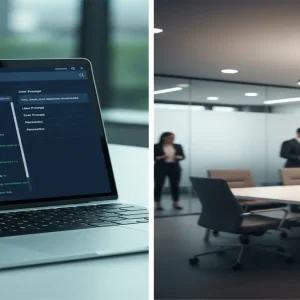
- Engineer the Persona Blueprint: Use a tool like ChatGPT’s ‘Custom GPTs’ or a simple Notion document filled with ‘System Prompts.’ You must include specific ‘Knowledge Files’ (like the business’s pricing sheet or FAQ) so the AI doesn’t hallucinate. This is your ‘secret sauce.’
- Create a ‘Plug-and-Play’ Delivery System: You don’t want to spend hours on tech support. Deliver your Digital Employee as a shared link to a Custom GPT or a Loom video showing them how to paste your master prompt into their own AI account.
- The ‘Free Sample’ Outreach: Send a short screen-recording (using Loom) to a potential client. Show them a 30-second clip of the AI answering a complex question about their specific business. It makes the value undeniable.
The Realistic Math: What Can You Actually Earn?
Let’s talk numbers because that is why you’re here. A standard ‘Digital Employee’ package typically sells for $500 to $1,500 as a one-time setup fee. If you include a monthly ‘maintenance and optimization’ fee—where you update their AI with new data every 30 days—you can charge an additional $99 to $199 per month.
If you land just three clients a month at a $1,500 price point, you are at $4,500 in revenue. The best part? Once you have built the ‘blueprint’ for one Realtor, you can sell that same blueprint to 50 other Realtors in different cities with 90% of the work already done. It is the ultimate ‘build once, sell many’ model. You can realistically see your first dollar within 14 days of starting your outreach.
Your Essential Toolkit
- ChatGPT Plus ($20/mo): To build and test your custom personas and GPTs.
- Loom (Free/$10/mo): Essential for recording ‘Proof of Concept’ videos to send to prospects.
- Gumroad or Stripe: To handle your payments and deliver the digital instructions.
- Notion: To organize your ‘Prompt Library’ and client onboarding documents.
- LinkedIn: Your primary hunting ground for finding business owners in your chosen niche.
Common Pitfalls to Avoid
Selling ‘AI’ Instead of ‘Results’
Business owners don’t care about ‘Large Language Models’ or ‘Token limits.’ They care about not having to answer the phone at 9 PM. Always speak in terms of hours saved and leads captured, never in technical jargon.
Ignoring Data Privacy
Never put sensitive client data (like customer credit card numbers) into a public AI model. Teach your clients to use the Digital Employee for communication and scheduling, not for storing private records.
Over-Promising Capabilities
Be honest about what the AI can’t do. It can’t drive to a house and fix a leak, but it can make sure the plumber has all the right information before they arrive. Setting clear expectations prevents refunds and unhappy clients.
The Next Step: Your 24-Hour Challenge
Here is your immediate action item: Identify one local business you frequent—perhaps your dentist or your favorite local cafe. Spend 30 minutes today writing a ‘System Prompt’ that could act as their virtual receptionist. Tomorrow, send them a short video showing it in action. You’ll be surprised how quickly a ‘How did you do that?’ turns into a ‘How much do you charge?’