The Hidden Goldmine in High-Stress Professional Workflows
Most digital creators are fighting for pennies in the saturated ‘productivity planner’ market, while a silent group of builders is charging $150 per download for a single Notion template. Here’s the thing: while the average Etsy buyer won’t pay more than $10 for a habit tracker, a surgical resident will gladly pay $150 for a system that prevents them from missing a critical patient update. You’re not selling a ‘template’; you’re selling a high-stakes solution to a high-income professional with zero free time. The best part? You don’t need a medical degree to build the architecture that saves their sanity.
📹 Watch the video above to learn more!
Have you ever wondered why some digital products struggle to make $100 a month while others generate $5,000 on autopilot? It comes down to the ‘Pain-to-Price’ ratio. When you target general users, the pain is low, so the price is low. When you target medical residents, pilots, or specialized engineers, the pain of disorganization is extreme. By building what I call a ‘Professional OS’ (Operating System), you move away from the ‘influencer’ grind and into the ‘infrastructure’ business.
Why Generic Templates Fail the Modern Professional
If you search for ‘Notion planner’ on any marketplace, you’ll find thousands of pastel-colored layouts with cute icons. While these are great for students, they are useless for a doctor managing 15 patient charts or a lawyer tracking billable hours across six different cases. Professionals don’t want ‘cute’; they want ‘functional friction-less flow.’ They need a system that works on a mobile device while they are walking between hospital wards, and they need it to be pre-configured for their specific jargon and workflows.
What Exactly is a ‘Medical Residency OS’?
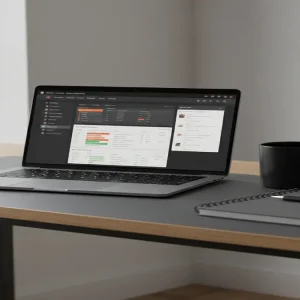
A Medical Residency OS is a specialized digital workspace designed to handle the unique chaos of medical training. It’s not just a calendar; it’s a relational database that connects patient logs, research citations, shift schedules, and board exam prep into one cohesive dashboard. Imagine a resident who usually carries three notebooks and a dozen sticky notes. You’re giving them a single URL that organizes their entire career. This is the difference between a toy and a tool.
Moving Beyond Basic Checklists
To build a high-ticket kit, you have to think in terms of ‘interconnected data.’ In Notion, this means using ‘Relations’ and ‘Rollups’ so that when a user enters a patient’s name, it automatically links to their surgical log and their study notes for the week. You’re building a brain extension, not a digital piece of paper. When you solve a problem this complex, the price tag of $150 becomes an easy ‘yes’ for someone earning a professional salary but losing hours of sleep to administrative clutter.
Why This Model Outperforms Traditional Freelancing
The beauty of this method lies in its scalability. If you work as a freelance virtual assistant or a designer, you are trading your hours for dollars. If you don’t work, you don’t get paid. However, with a niche Notion OS, you spend 40 hours building the ‘perfect’ system once, and then you sell it 500 times. It is the ultimate digital asset because it requires zero inventory, zero shipping costs, and minimal customer support if you build it correctly.
The Power of Asynchronous Revenue
Let me show you the math. To make $5,000 a month as a freelancer, you might need to manage 10 clients at $500 each, requiring constant communication and deadlines. To make $5,000 with a $150 Medical OS, you only need 34 sales. In a global market of hundreds of thousands of medical students and residents, finding 34 people in 30 days isn’t just possible—it’s inevitable if your marketing is targeted. You’re building an engine that earns while you’re at the gym, at dinner, or even asleep.
Your 5-Step Blueprint to Launching a High-Ticket Template
- Deep Dive into the Professional Pain Points: Don’t guess what doctors need. Go to Reddit, specifically subreddits like r/medicalschool or r/residency. Look for complaints about ‘admin work,’ ‘tracking hours,’ or ‘studying for Step 2.’ These complaints are your feature list.
- Map the Documentation Architecture: Before you open Notion, draw the workflow on paper. How does a user move from ‘task’ to ‘completion’? For a Medical OS, you need a ‘Shift Dashboard,’ a ‘Procedure Tracker,’ and a ‘Library of Common Meds.’ Ensure every database talks to the others.
- Build for Speed, Not Just Aesthetics: Use a ‘Mobile-First’ design. Most professionals will check their OS on their phones. Keep the interface clean, use high-contrast buttons, and avoid heavy images that slow down loading times. If it takes more than 3 seconds to load, they won’t use it.
- Create the ‘Loom Demo’ Sales Engine: People won’t pay $150 for a screenshot. Record a 5-minute video using Loom showing exactly how the system handles a ‘busy day.’ Show them the ‘Magic’—like how one click updates their entire board exam progress. This video is your most powerful salesperson.
- Price for Value, Not for the Market: Don’t look at what other Notion templates cost. Look at what an hour of a doctor’s time is worth. If your template saves them 5 hours a week, it’s worth thousands. Pricing at $150 makes it a ‘no-brainer’ investment for their career.
Realistic Earnings and Timelines
Let’s talk numbers. This isn’t a ‘get rich tomorrow’ scheme, but it is a ‘get paid well next month’ strategy. Typically, it takes about 2 weeks to build a truly high-quality professional OS. Once launched on a platform like Gumroad or Etsy, your first sale usually happens within 7-10 days of active promotion in niche communities. A realistic earning range for a well-targeted niche is $2,500 to $6,000 per month. Some top-tier creators in the ‘Notion for Architects’ or ‘Notion for Lawyers’ space have reported months exceeding $15,000, but that requires a built-in audience or paid ads.
Essential Tools for the Modern Template Architect
- Notion (Free/Plus Plan): The core engine where you build the product.
- Gumroad: The best platform for selling digital files with a built-in affiliate system.
- Loom: For creating the video walkthroughs that prove your product works.
- Canva: For creating professional-looking cover images and ‘feature’ graphics.
- Reddit/Twitter: For organic marketing and finding your ‘Alpha’ testers.
Pitfalls That Kill Your Conversion Rate
The most common mistake is being too broad. If you try to make a template for ‘all professionals,’ you will sell to no one. Be aggressively specific. Another mistake is over-complicating the setup. If a user has to watch a 2-hour tutorial just to understand how to enter a task, they will ask for a refund. Keep the ‘onboarding’ simple. Finally, don’t ignore the ‘Mobile UI.’ If your template looks great on a desktop but breaks on an iPhone, you’ll lose 70% of your potential market.
Your First Step Toward a $5K Passive Stream
Ready to build your first high-ticket asset? Your immediate next step is to head over to Reddit, find a professional community (like r/nursing or r/lawschool), and search for the word ‘organized’ or ‘workflow.’ Read the top 20 comments to find the one problem they all hate solving manually. That’s your product. Start building the solution today, and you could have your first $150 sale by this time next week.