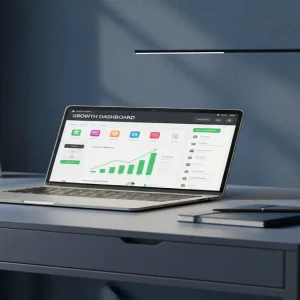
Most digital creators are fighting for pennies selling generic $5 “daily planners” on Etsy, completely missing a massive opportunity hiding in plain sight. What if you could build a simple digital workspace once, and sell it to desperate professionals for $150 a pop? Welcome to the highly profitable, surprisingly uncrowded world of industry-specific Notion workspaces.
📹 Watch the video above to learn more!
The Rise of the Micro-Software Entrepreneur
Let’s get one thing straight right away. We aren’t talking about cute habit trackers, aesthetic reading journals, or basic grocery lists. You are going to build specialized “business operating systems” using Notion.
Think of it as creating custom software without writing a single line of code. You are solving complex organizational problems with simple, elegant digital architecture.
Moving Beyond the Generic Market
Instead of targeting everyone and hoping for the best, you target a very specific profession with a distinct set of pain points. For example, you might build a client management portal specifically for independent wedding photographers. Or maybe an inventory and casting tracker tailored for indie film directors.
These working professionals don’t want a blank slate. They want a plug-and-play system that inherently understands their exact daily workflow and industry jargon.
Why Professionals Happily Pay Premium Prices
When you sell a generic template, your competition is free templates, YouTube tutorials, and $2 downloads. It is a race to the bottom that leaves you burned out. When you sell a tailored business solution, your competition is expensive monthly SaaS subscriptions like Salesforce, HoneyBook, or Dubsado.
The Value of Saved Time
A freelance interior designer will easily drop $150 on a Notion workspace if it saves them five hours of administrative work every single week. To them, it’s not just a template; it’s a vital business asset.
They are buying back their time, and that is an incredibly easy sell to make. You are selling an outcome, not a digital file.
Zero Inventory, Infinite Margins
The best part? You build this digital asset exactly once. Whether you sell ten copies or ten thousand, your fulfillment cost remains absolutely zero.
It is the ultimate form of decoupled income, freeing you entirely from the exhausting time-for-money trap that plagues most freelancers.
Your Blueprint for Building High-Ticket Workspaces
Ready to build your first premium digital asset? Here is your exact, step-by-step roadmap to get started this weekend.
Step 1: Identify a Pain-Heavy Niche
Do not guess what people need. Go to niche subreddits or Facebook groups and look for complaints about organization. Search for phrases like “how do you track your clients” or “my spreadsheets are a mess.”
Pick a niche with high transaction values, like real estate agents, event planners, or freelance web developers. If they make good money, they will spend good money to get organized.
Step 2: Map the Exact Workflow
Before opening Notion, grab a piece of paper. Map out the exact journey of that professional’s day. What data do they collect? What tasks do they repeat? What are their biggest bottlenecks?
Your workspace needs to solve these specific problems organically. If a real estate agent needs to track property showings, build a relational database specifically for that.
Step 3: Build the Notion Architecture
Keep the design incredibly clean and strictly functional. Avoid excessive widgets, distracting GIFs, or cluttered layouts. Use relational databases to connect their clients, active projects, and pending invoices seamlessly.
Make sure the system is intuitive enough that a total beginner can navigate it within five minutes of opening the dashboard.
Step 4: Package with Video Onboarding
This is the secret sauce that justifies a premium price tag. Record a comprehensive Loom video walking the customer through exactly how to use their new system.
Embed this video directly into the welcome page of the Notion workspace. It builds trust and drastically reduces customer support emails.
Step 5: Launch on Gumroad and Niche Communities
Host your product on Gumroad for seamless checkout and automated delivery. Create a compelling landing page that focuses entirely on the time and money your system will save them.
Share your solution directly in the communities where you initially did your research, focusing on the value you provide rather than just dropping a link.
The Financial Breakdown: What Can You Actually Make?
Let’s talk real numbers and realistic timelines so you know exactly what to expect. Building a premium workspace will take you roughly 15 to 20 hours of focused work.
The Math Behind the Revenue
If you price your industry-specific workspace at $129, you only need to sell 8 copies a week to break $4,000 a month. Beginners usually see their first sale within 14 to 21 days of active marketing in niche communities.
Once established, a single well-targeted template can consistently generate $2,000 to $5,000 monthly on autopilot, requiring only occasional updates.
Your Lean Tech Stack
You don’t need a massive budget to launch this micro-business. In fact, your initial financial investment is nearly zero.
- Notion: The free tier is perfectly fine for building and sharing your initial templates with customers.
- Gumroad: The absolute best platform for hosting and selling digital products. They only take a small cut of your actual sales.
- Loom: Essential for recording your premium video onboarding and step-by-step tutorials.
- Canva: Use this to design clean, professional mockup images for your Gumroad sales page.
- Reddit & Twitter: Your primary distribution channels for finding and genuinely connecting with your niche audience.
Fatal Traps That Kill Your Sales
Avoid these common pitfalls that keep most digital product creators broke and frustrated.
- Going too broad: A “freelancer dashboard” is way too generic. A “wedding videographer client tracker” is an absolute goldmine.
- Overcomplicating the design: If your customer needs a manual to understand your databases, they will get frustrated and ask for a refund.
- Selling features instead of outcomes: Don’t advertise “15 linked databases.” Advertise “Cut your weekly admin work in half.”
- Ignoring the onboarding experience: Dropping a naked link after purchase feels cheap. Always include a welcome guide and video tutorial.
Your Next Move
The era of selling cheap, generic printables is fading fast. Professionals are actively looking for custom solutions, and they have the budget to pay premium prices for them.
Your only job is to find one specific problem, solve it elegantly in Notion, and put it in front of the right people. Pick your niche today, sketch out their biggest workflow problem, and start building your first high-ticket digital asset.