The Rise of the Personal Operating System
Did you know that the average professional wastes over four hours a week simply trying to organize their digital life? While everyone else is busy chasing fleeting trends, a small group of creators is quietly pulling in $5,000 a month by selling digital ‘Operating Systems’ built entirely inside Notion.
📹 Watch the video above to learn more!
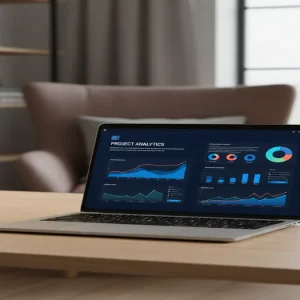
This isn’t just about simple to-do lists. We are talking about comprehensive, interconnected workspaces that manage finances, projects, content calendars, and personal wellness in one unified dashboard. People are desperate for order, and they are willing to pay a premium to have it handed to them on a platter.
What Exactly is a Notion OS?
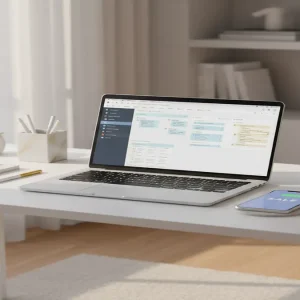
A Notion Operating System is a high-level, modular workspace. It uses advanced database relations, rollups, and template buttons to automate complex workflows. Think of it as a pre-built digital brain that a user can duplicate into their own account with a single click.
Why This Market is Exploding
The beauty of this model is the ‘one-to-many’ leverage. You build the system once, and you sell it an infinite number of times. There is zero inventory, zero shipping, and zero customer support headaches compared to physical e-commerce. You are selling a solution to a specific pain point, which is the highest-converting type of digital product.
The Core Benefits of the Notion Business Model
You don’t need to be a coding genius to thrive here. Because Notion is inherently modular, you can start with a simple task manager and scale into a full-blown business suite. The profit margins are essentially 100% after platform fees.
High Perceived Value
Because these systems save users hundreds of hours, you can price them significantly higher than basic printables or ebooks. A well-designed ‘Life OS’ can easily fetch $50 to $150 per sale.
Recurring Ecosystem Potential
Once a customer buys your primary system, they often return for your specialized add-ons, such as habit trackers, meal planners, or CRM modules. This allows you to build a loyal customer base that buys from you repeatedly.
How to Build and Launch Your First System
Ready to start? You need to move from ‘idea’ to ‘live product’ without getting stuck in perfectionism. Follow this framework to get your first dollar within 14 days.
Step 1: Identify a Specific Niche
Don’t build a ‘General OS.’ Build a ‘Notion OS for Freelance Photographers’ or ‘The Content Creator’s Dashboard.’ The more specific the pain point, the easier it is to sell.
Step 2: Build the Architecture
Spend one week building the core databases. Focus on functionality first. Ensure that your tables are linked so that data entered in one place automatically updates elsewhere.
Step 3: Polish the User Experience
Add aesthetic elements like cover images, icons, and clear navigation menus. Use a consistent color palette to make the workspace look professional and inviting.
Step 4: Set Up Your Sales Funnel
Host your template on a platform like Gumroad or Lemon Squeezy. These platforms handle the delivery and payment processing automatically.
Step 5: Drive Targeted Traffic
Share ‘walkthrough’ videos on TikTok or Twitter showing exactly how your system solves a specific problem. Don’t sell the features; sell the time they will get back.
Realistic Earnings and Projections
If you price your OS at $79, you only need 64 sales a month to hit that $5,000 milestone. For a digital product that stays live 24/7, this is entirely achievable within 6 to 9 months of consistent content creation.
Initial Investment
You can start with $0, as Notion offers a robust free tier. You will only pay a small transaction fee (typically 5-10%) to your hosting platform when a sale occurs.
Skill Level Required
Intermediate. You should be comfortable with Notion databases, filters, and basic UI design. If you can use Excel formulas, you are already halfway there.
Essential Tools for Your Dashboard Business
- Notion: The backbone of your entire business.
- Gumroad: The best marketplace for digital creators to handle payments and automated email delivery.
- Canva: Essential for creating your product thumbnails and marketing assets.
- Loom: Use this to record your ‘How to use this template’ video, which is a required asset for your sales page.
Common Pitfalls to Avoid
Over-Complicating the Setup
Avoid adding too many ‘bells and whistles.’ If the system is too hard to learn, your customers will abandon it. Keep it intuitive.
Ignoring User Onboarding
Always include a video tutorial. If you don’t show the user how to navigate the system, they will email you with support questions, which kills your passive income flow.
Neglecting Mobile Optimization
Many users check their dashboards on the go. Ensure your main pages look clean and functional on the Notion mobile app.
The Bottom Line
Selling Notion templates isn’t about being a designer; it’s about being an architect of productivity. You are selling the version of the user they want to become—organized, efficient, and in control. Stop overthinking the process and start building your first module today. Your first step? Open a blank Notion page and map out the three biggest problems your target audience faces every single day.