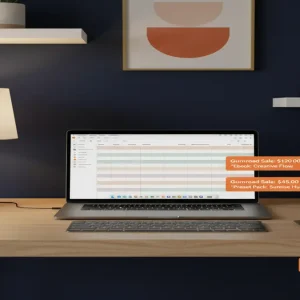
The Mechanics of the Pinterest-to-Notion Pipeline
Most people treat Pinterest like a digital vision board for dream kitchens and vacation spots, but a small group of savvy creators is using it as a high-intent search engine to move digital products. You don’t need a massive following, a recognizable face, or a marketing degree to turn a free Notion page into a recurring revenue stream that hits your bank account while you sleep. Here is the reality: Pinterest users are actively looking for solutions to their chaos, and Notion is the tool they use to organize it.
📹 Watch the video above to learn more!
The magic happens when you bridge the gap between a user’s specific problem—like managing a messy freelance workflow—and a pre-built, aesthetic solution. By the time you finish reading this, you will understand exactly how to build an automated sales machine that transforms free traffic into high-margin digital sales. It’s not about ‘going viral’; it’s about being the precise answer to a very specific search query.
Why High-Intent Search Trumps Social Following
On platforms like Instagram or TikTok, you are fighting an algorithm that demands constant attention and a ‘personality.’ Pinterest is different because it functions as a visual search engine where your content has a shelf life of months, not minutes. When someone searches for an ‘ADHD daily planner’ or a ‘Real Estate CRM,’ they aren’t looking for entertainment—they are looking to buy a solution. This high-intent mindset is why conversion rates for digital products on Pinterest often dwarf those of other social platforms.
The Low-Cost Entry Point
The best part about this model? Your overhead is virtually zero. You are using a free version of Notion to build the product, a free Canva account to design the marketing materials, and a free Gumroad account to host the files. You aren’t buying inventory or paying for warehouse space. You are selling ‘digital real estate’ that you build once and sell an infinite number of times. It is the ultimate expression of leveraging your time to create scalable assets.
Your 5-Step Blueprint to Digital Asset Dominance
Step 1: Solving the ‘Chaos’ Problem
You cannot just build a ‘general planner’ and expect to make thousands of dollars. Success in the Notion space requires hyper-specificity. Look for niches where people are overwhelmed: Airbnb hosts trying to track cleaning schedules, plant parents managing a hundred species, or university students in intensive medical programs. Use the Pinterest Trends tool to see what people are actually typing into the search bar. If you see a rising search volume for ‘content pillars template’ but the results are mediocre, you’ve found your goldmine.
Step 2: Designing Your Digital Asset in Notion
Once you’ve identified the problem, open Notion and build the solution. It needs to be functional first and aesthetic second. A great template doesn’t just look good; it automates a workflow. Use databases, linked views, and progress bars to make the user feel like they’ve just hired a personal assistant for $20. Remember, you aren’t just selling a page; you’re selling the feeling of being organized. Once the template is finished, create a ‘Share to Web’ link and set it to ‘Allow Duplicate as Template.’
Step 3: Setting Up the Frictionless Checkout
Take that Notion link and head over to Gumroad or LemonSqueezy. These platforms are designed for digital creators and handle all the boring stuff like tax collection and secure delivery. Write a product description that focuses on the transformation: ‘Stop losing track of your leads and start closing more deals with our Automated Real Estate CRM.’ Price your template between $15 and $45. This is the ‘impulse buy’ sweet spot where users don’t need to consult a spouse before hitting the buy button.
Step 4: Mastering the Visual Hook
Now you need to drive traffic. Go to Canva and create 10 different Pinterest Pin designs for your one product. Use high-contrast text and screenshots of your Notion template inside a laptop mockup. Use titles like ‘The Only System You Need for [Problem]’ or ‘How I Finally Organized My [Niche].’ Pinterest is a visual medium, so if your pins look amateur, your product will be perceived as amateur. Experiment with ‘Standard Pins’ and ‘Idea Pins’ to see which the algorithm favors for your specific niche.
Step 5: Automating the Traffic Flow
You don’t want to be manually pinning all day. Use a tool like Tailwind to schedule your pins to go out at peak times. The key is consistency over intensity. Pinning 3-5 high-quality images per day is better than dumping 50 pins once a week. Focus your Pin descriptions on SEO keywords. If you are selling a ‘Social Media Content Calendar,’ make sure those exact words are in your Pin title, description, and even the image alt-text. This ensures that when someone searches for that term, your product is the first thing they see.
The Reality of the Revenue
Let’s talk numbers because that’s why you’re here. A well-optimized Notion template in a medium-demand niche can realistically generate between $500 and $4,500 per month. It usually takes about 30 days of consistent pinning to see your first sale, as the Pinterest algorithm needs time to index your content. By month three, if you have 5-10 different templates live, you start to see the compounding effect of ‘passive’ traffic. Your initial investment is $0, and your skill level only needs to be ‘Intermediate Notion User,’ which you can achieve in a weekend of YouTube tutorials.
Avoiding the ‘Ghost Town’ Trap
Why do some people fail at this? First, they are too broad. A ‘Daily Planner’ is a ghost town because the competition is too high. A ‘Daily Planner for Solo-Practitioner Lawyers’ is a business. Second, they ignore Pinterest SEO. If you don’t use keywords, your pins are invisible. Third, they give up too early. Pinterest is a slow-burn platform. You are building a library of assets that will pay you for years; don’t expect a windfall on day two. Treat your Pinterest account like a storefront that needs daily tending.
Your First Move
The barrier to entry has never been lower, but the window of ‘easy’ growth in the Notion space won’t stay open forever. Your action step for today is simple: Go to Pinterest, type in ‘[Your Hobby] + organization,’ and see what people are struggling with. That struggle is your first $1,000 product waiting to be built. Are you going to keep scrolling, or are you going to start pinning?